How to Stage a House for Photos: The 10-Step Checklist
The checklist we give sellers before a listing shoot: clear surfaces, halve the furniture, light every room, and what to leave to digital decluttering.
Staging a house for photos is not the same as staging it for a viewing. The lens sees a narrow slice of each room, so an hour spent on what that slice shows beats a weekend spent on the rest of the house. This is the checklist we give sellers before a listing shoot, in the order that pays off fastest, followed by the part most people skip: what you no longer need to do at all, because it comes out of the photo digitally afterwards.
If you want the photographer's side of the same shoot, read home staging photography: how to shoot a home that stages well. This article is for the person tidying the house.
The checklist
- Clear every horizontal surface. Worktops, side tables, the windowsill, the top of the fridge. One object per surface at most. Flat, empty surfaces are what make a photo read as spacious.
- Take down the personal layer. Family photos, children's drawings, fridge magnets, name plates, the calendar. Buyers need to picture themselves in the room, not you.
- Halve the furniture in small rooms. A sofa and one chair read as generous; three seats and a footstool read as cramped. Move the extras to the garage for the day.
- Hide the cables and the bins. Chargers, extension leads, the router, the kitchen bin, the laundry basket. They are the first thing a photo gives away.
- Make every bed, plump every cushion. Plain bedding photographs better than patterns; a throw folded at the foot of the bed adds depth.
- Open every curtain and switch on every lamp. Then straighten the lampshades. Mixed bulb temperatures show on camera, so match them where you can.
- Clear the floor. Rugs straight, shoes away, no pet beds or toys in the frame. Visible floor is what makes a room look large in a wide shot.
- Style three focal points, not thirty. A bowl of lemons on the kitchen island, a stack of books on the coffee table, a plant in the bathroom. Stop there.
- Check the view through doorways. Photographers shoot into corners and through openings, so the room beyond is in the picture too.
- Leave the rest to decluttering. Whatever cannot leave the house in time, from a treadmill to a cat tree, comes out of the photo digitally before staging, and the original photo is kept.
Room by room, in ten minutes each
Kitchen. Everything off the worktop except one appliance and the fruit bowl. Tea towels off the oven door, nothing on the fridge, bin out of sight. Wipe the splashback; glossy surfaces show every mark under flash.
Living room. Remote controls, magazines and blankets away, cushions plumped, the coffee table down to one object. If the sofa faces the television, angle one chair toward the window instead so the photo has a focal point that is not a black screen.
Bedrooms. Bed made with the duvet pulled tight, nothing on the nightstands except one lamp, wardrobe doors closed, clothes off the chair. Children's rooms: toys in the bins, bins out of frame.
Bathroom. Toiletries into the cupboard, towels replaced by one folded set, toilet lid down, bath mat straight, shower screen wiped. Bathrooms are the rooms buyers judge on cleanliness alone.
Home office. Cables bundled, papers in a drawer, one screen on the desk. If the room doubles as storage, this is where digital decluttering earns its keep.
What you can stop doing
A decade ago this list ended with "and move the rest into storage". Today a photo of a lived-in room can be emptied digitally in a couple of minutes: furniture, clutter and personal items come out, while walls, windows, floors and built-ins stay exactly as photographed. For a seller that changes the brief. Tidy for the camera, shoot the rooms as they are, and let the software do the heavy lifting on the items you cannot move.
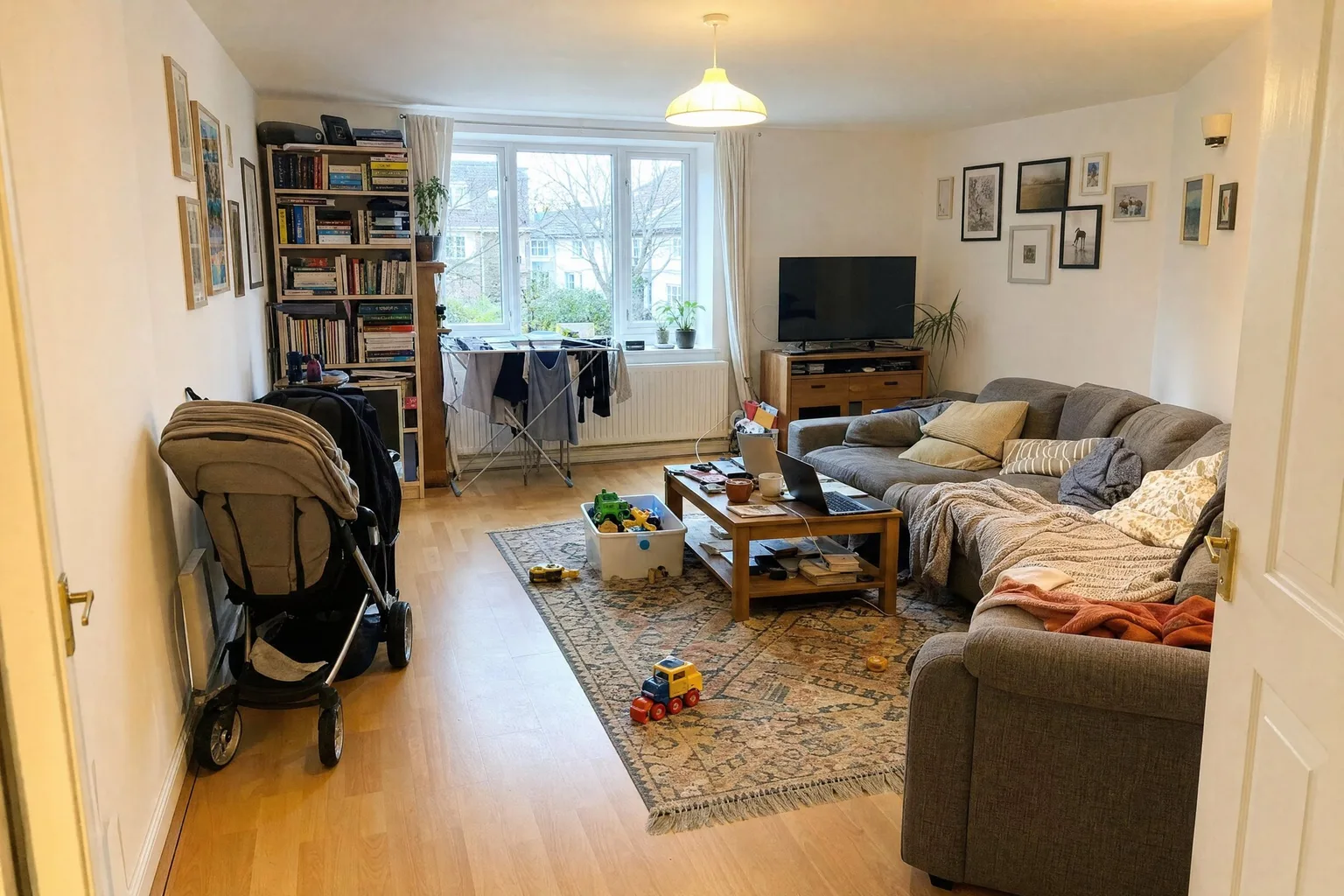
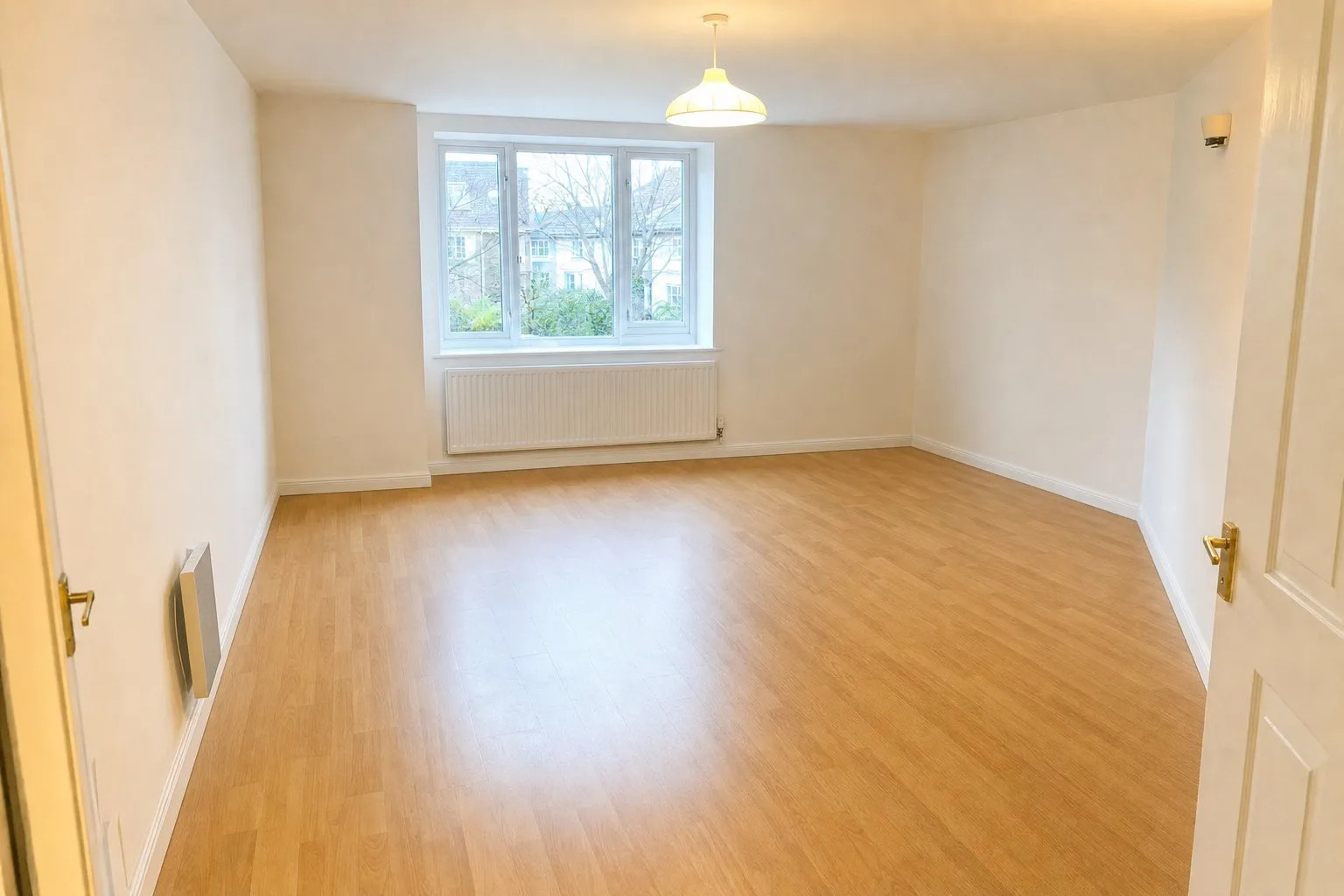 BeforeAfter
The empty version is the honest hero shot for an occupied home, and the base for staging if you want buyers to see the room furnished in a style that matches the price. The furniture removal tutorial shows the whole flow with screenshots, including how to keep the pieces you like.
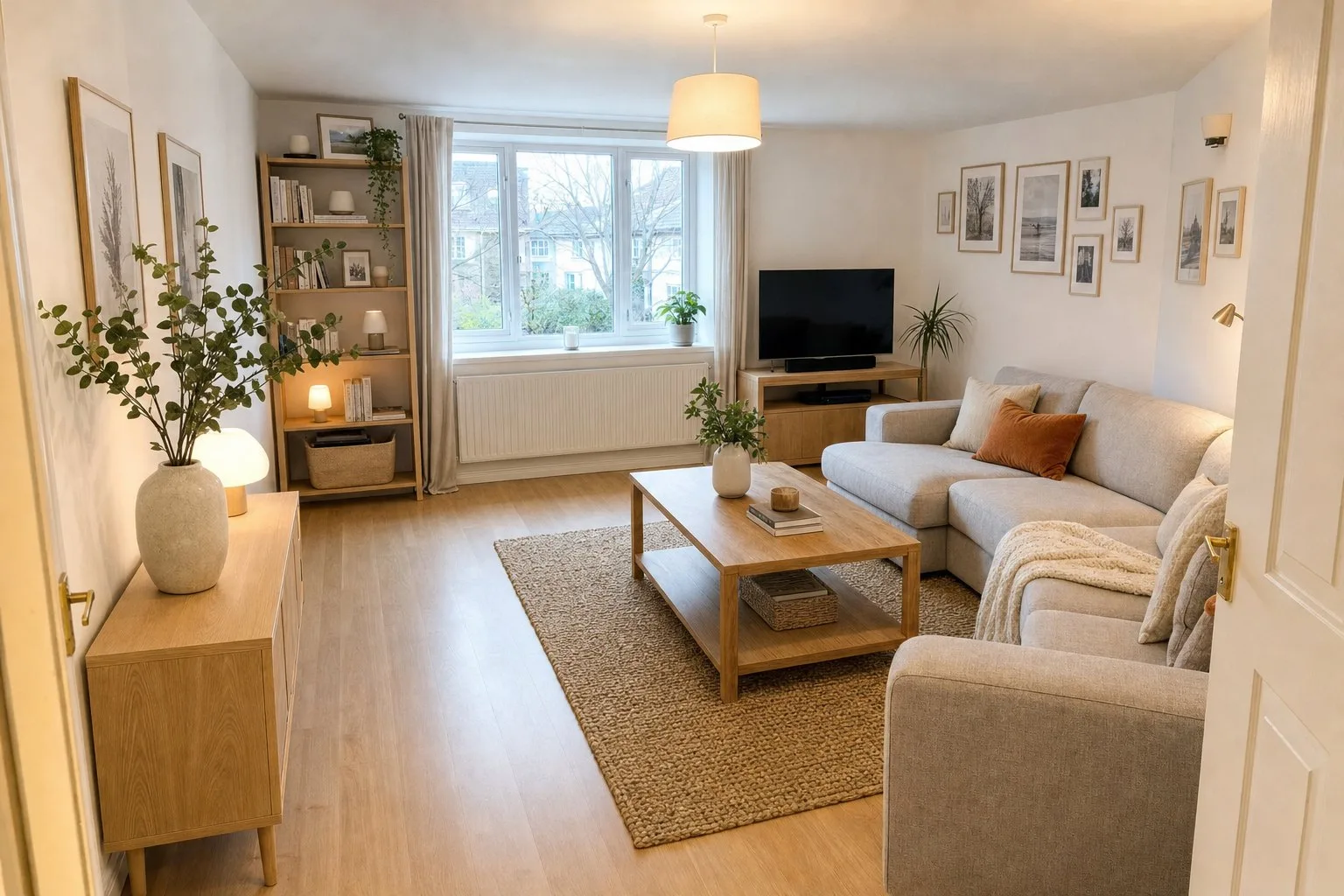 DeclutteredStaged
Try it on your own photos, 5 images free
Before the photographer arrives
- Shoot in daylight, so book the morning or early afternoon and have every room ready at once; photographers move fast.
- Walk the route the photographer will take, doorway to doorway, and look at each room from the door at chest height. That is the frame.
- Park cars off the drive, roll the bins away, open the gates. The front of the house is the first photo on every portal.
- Keep one unedited photo of each room in the set. Portals ask for it, and buyers trust a listing more when the original is one click away.
Frequently asked questions
How long does it take to stage a house for photos?
Two to four hours for an average family home if you follow the checklist room by room, less if the clutter that cannot leave is removed digitally afterwards. The shoot itself takes one to two hours.
Do I need to remove all the furniture?
No. Halve the furniture in small rooms and keep the pieces that show how the room is used. Anything you cannot move can be taken out of the photo digitally, and the original is always kept.
Should I stage an empty house for photos?
Empty rooms photograph small and cold. Rather than renting furniture for the shoot, photograph the empty rooms well and stage them digitally in a style that suits the home; the virtual staging explainer covers how that works and what portals require.
By Martin Balk, founder of Twelve Lumens · Updated October 30, 2026
See your own listing staged
Upload a few photos and get decluttered, staged versions back in minutes. The first five images are free, no credit card, and your originals are always kept.
Stage 5 images freeMore from the blog
Virtual Staging as a Photographer's Add-On: Workflow and Pricing
How real estate photographers add virtual staging to a shoot: same-day workflow, what to charge per photo, how to hand the set to the agent, the rules.
Remove Furniture from Listing Photos with AI (Virtual Decluttering)
Empty a lived-in room on the photo in one click: upload, declutter every photo at once, keep what should stay, then stage or publish the clean version.
How to Turn a 3D Render into a Photorealistic Image with AI (3 Steps)
Make a clay render, a SketchUp viewport or an old CGI photorealistic in minutes: upload it like a photo, pick a style, render. Same camera, same geometry.
How to Style Your Home with AI in 5 Steps (With Screenshots)
Step by step, with screenshots: photograph your rooms, upload, declutter, try two or three styles and export. About 15 minutes, first 5 images free.
How to Virtually Stage a Whole Listing in One Go (Screenshots)
A real 13-photo listing staged in one sitting: one upload, one house style, one click for every room, a portal-ready export with the disclosure built in.
How Does AI Virtual Staging Work? From Upload to Listing-Ready Photo
How AI virtual staging works, step by step: upload, declutter, pick a style, render in minutes. What changes, what it costs and where it is allowed.
Virtual Staging Cost 2026: Per Photo, Per Listing, Per Month
Virtual staging costs roughly €0.40 to €40 per image in 2026. What the three pricing models add up to per listing and per month, plus the hidden fees.
Home Staging Photography: How to Shoot a Home That Stages Well
What a home staging photographer actually does, how to shoot every room so it stages well, physically or virtually, and when a phone is enough.
What Does Virtually Staged Mean? 13 Virtual Staging Terms Explained
Plain-language definitions of 13 virtual staging terms: renders, 2K, house styles, decluttering, disclosure and more, each one quotable on its own.
Virtual Staging Disclosure Rules 2026: MLS, Zillow, Funda, Rightmove
Where virtually staged photos are allowed, what each market expects you to disclose, and a checklist that keeps your listing within every rule.
How Much Does Home Staging Cost in 2026? Physical vs Virtual
What physical, outsourced virtual and AI home staging cost per listing in 2026, when each one is worth it, and the math for a typical 20-photo listing.