AI rendering

Sketch to photorealistic render

Upload a hand-drawn interior sketch, a pencil perspective or a marker concept, and get back a photorealistic render of the same room in minutes: same camera, same layout, real materials and light. Drag the slider to see a real example.

First 5 images free — no credit cardRestyled in minutes, not weeksOriginals always kept

What sketch-to-render AI actually does

A sketch says everything about a room except how it will feel. Clients squint at linework, buyers can't picture materials, and the gap between a good drawing and a convincing image used to be days of 3D modelling and rendering. Sketch-to-render AI closes that gap: it reads the perspective, layout and furniture in your drawing and generates a photorealistic render that follows them, with believable materials, daylight and shadows.

With Twelve Lumens there is no special mode to learn: upload the sketch like any photo, choose one of six interior styles, a reusable custom style or a freestyle prompt, and the render is back in minutes. The examples on this page were made exactly this way, from the drawings you see on the left of each slider. Your first five images are free, no credit card.

Turn a hand-drawn sketch into a realistic render

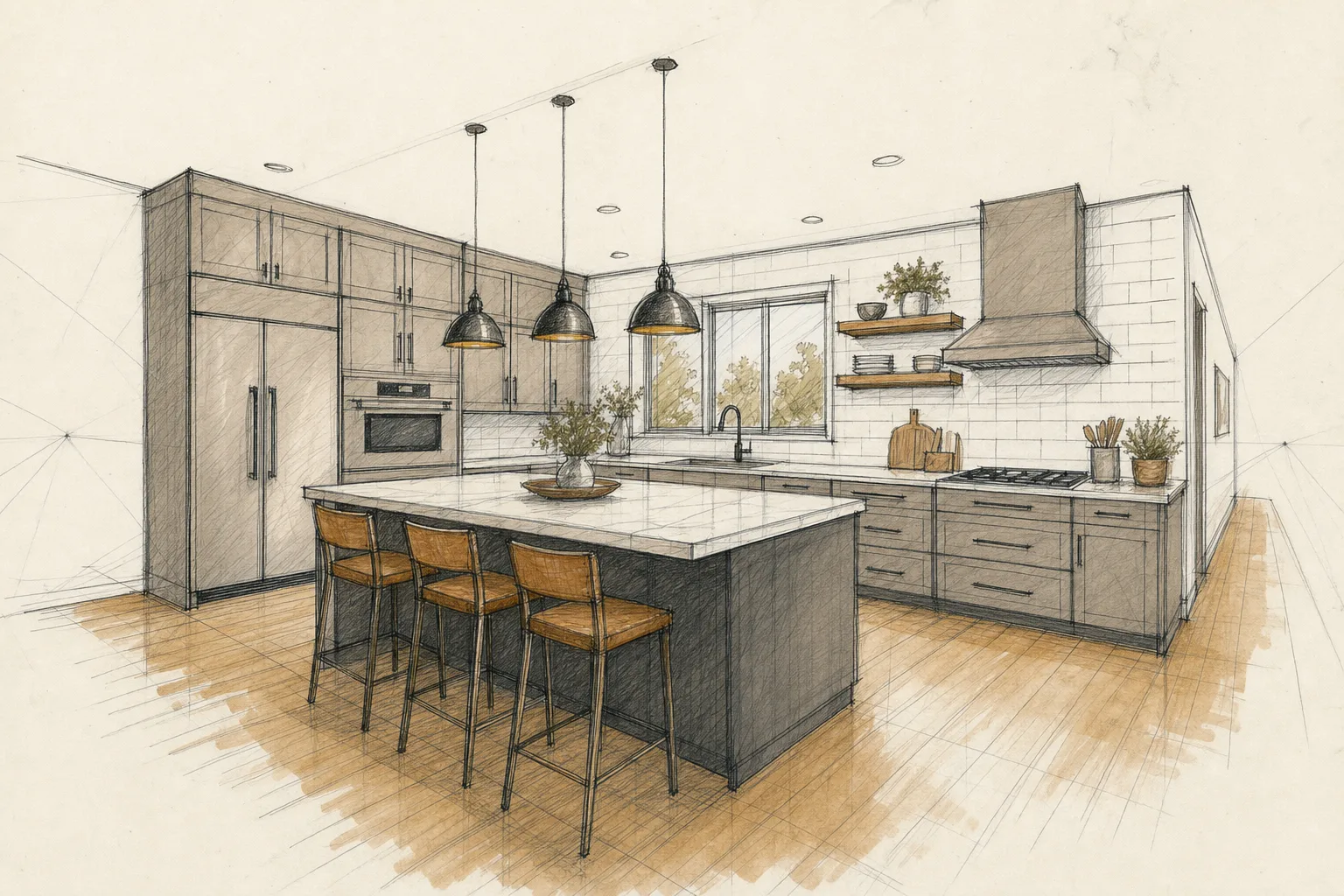
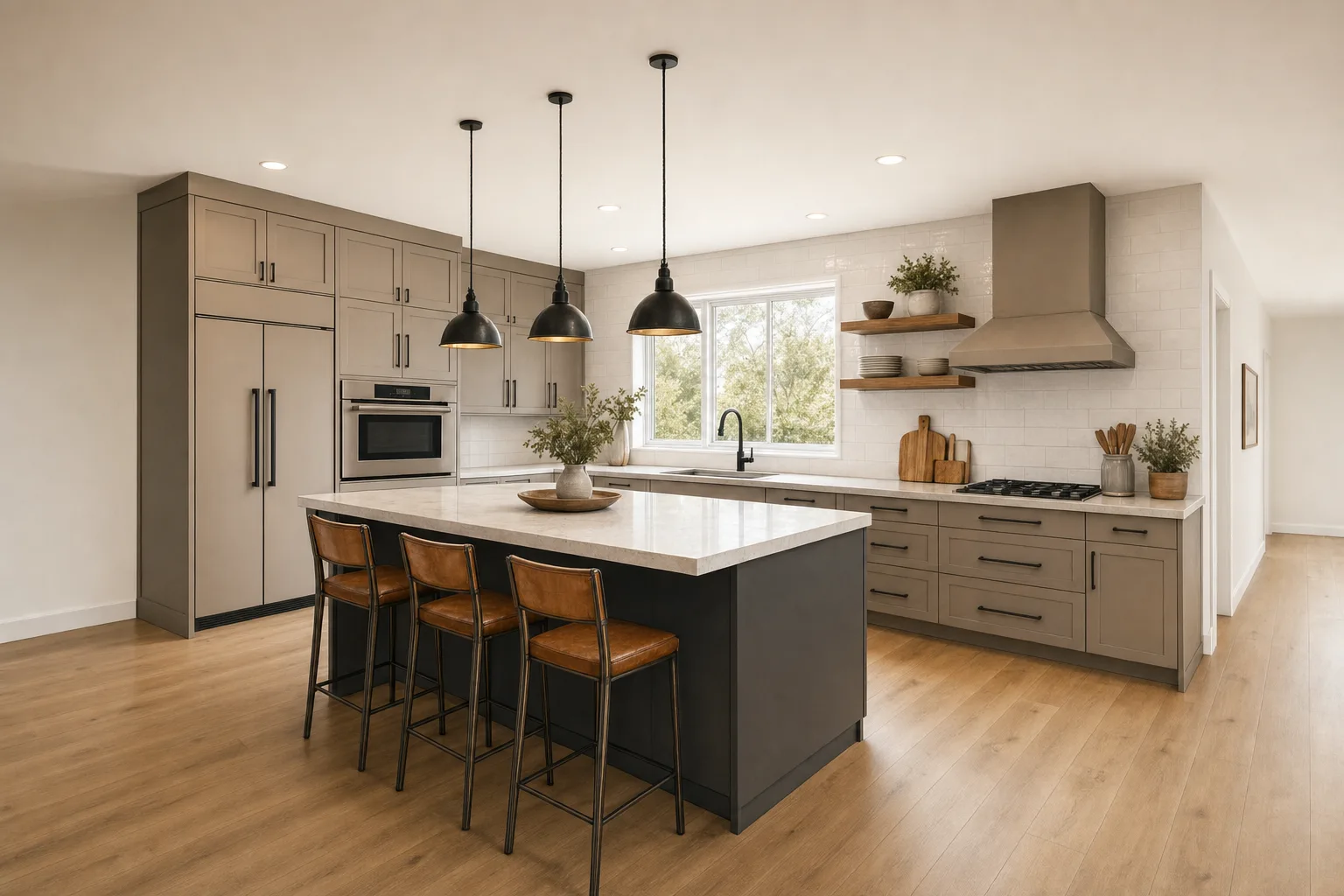
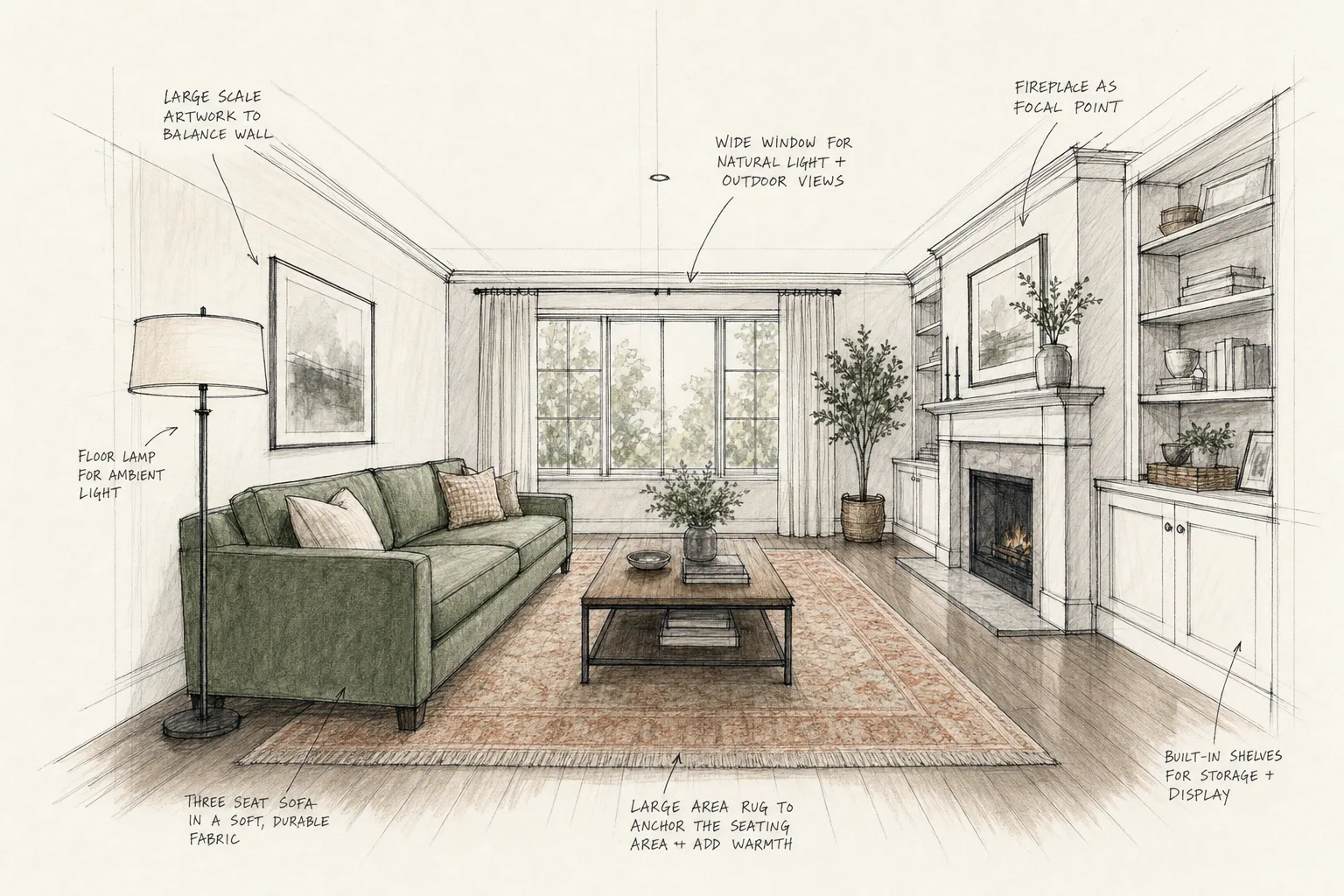
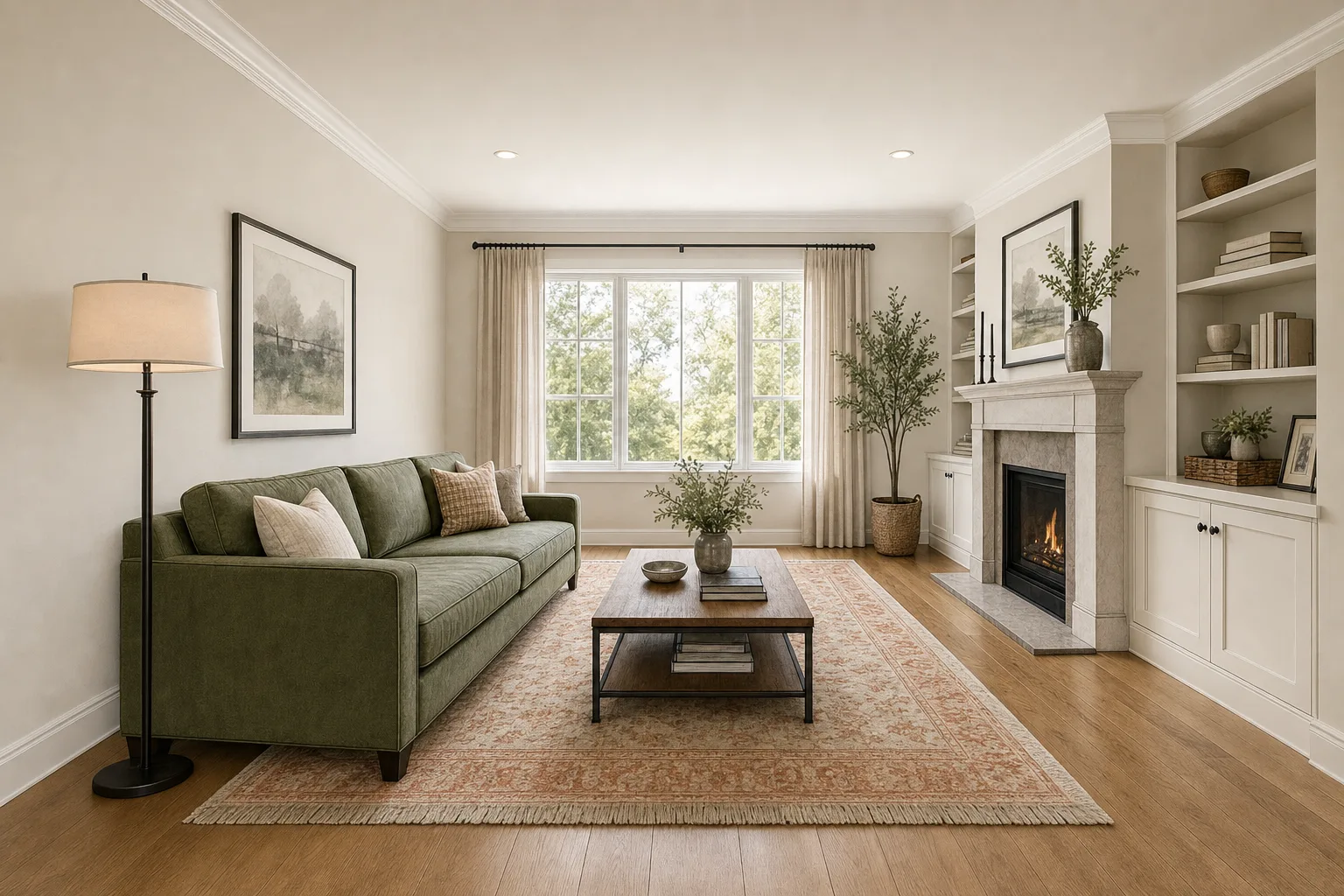
Fineliner, pencil, ballpoint or marker: if the drawing carries the room's perspective, the AI can carry it the rest of the way. A one-point living-room perspective becomes a furnished, daylit space; a quick kitchen study with an island and three bar stools comes back with stone worktops, real cabinet fronts and pendant light that behaves like light. The more decided your linework is about layout and camera, the more faithful the photorealistic version will be, and annotations or construction lines simply disappear in the render.

From concept sketch to client-ready image in one afternoon

The classic use is the meeting you don't have time to prepare for. Instead of promising a visualization next week, an interior designer can sketch the proposal, render it photorealistically over coffee, and present both side by side: the drawing shows the thinking, the render sells the feeling. Because a render takes minutes rather than days, you can afford to show two or three directions of the same sketch, in different interior styles, and let the client react to something that looks real.

Pencil sketch, ink drawing or marker rendering: what works best

Clean line drawings with clear perspective convert best; loose marker studies work surprisingly well because the AI reads massing and tone, not just outlines. What matters is that walls, openings and the main furniture are decided in the drawing. What does not matter: paper texture, smudges, wobbly lines, handwritten notes. All of it is read for intent and replaced by photographic material in the final image.

Why designers use AI sketch rendering instead of full 3D modelling

Modelling a room in 3D to render one view is a detour: hours of geometry for a single image. AI rendering from a sketch skips the model entirely for concept and presentation work, and it changes the economics of iteration: a revision is a new render in minutes, not a re-model. Full 3D still earns its keep for construction documentation and precise dimensioning; for the image that wins the client, the sketch is enough.

Real examples: the drawing and the render

Each slider shows the actual input on the left and the AI render on the right: the same camera, the same layout, materials and light added. These were generated with Twelve Lumens from the drawings shown.

Fineliner and marker living-room perspective, rendered with real materials and window light.
Two-point kitchen sketch with island and pendants, rendered with stone, wood and ceramic.
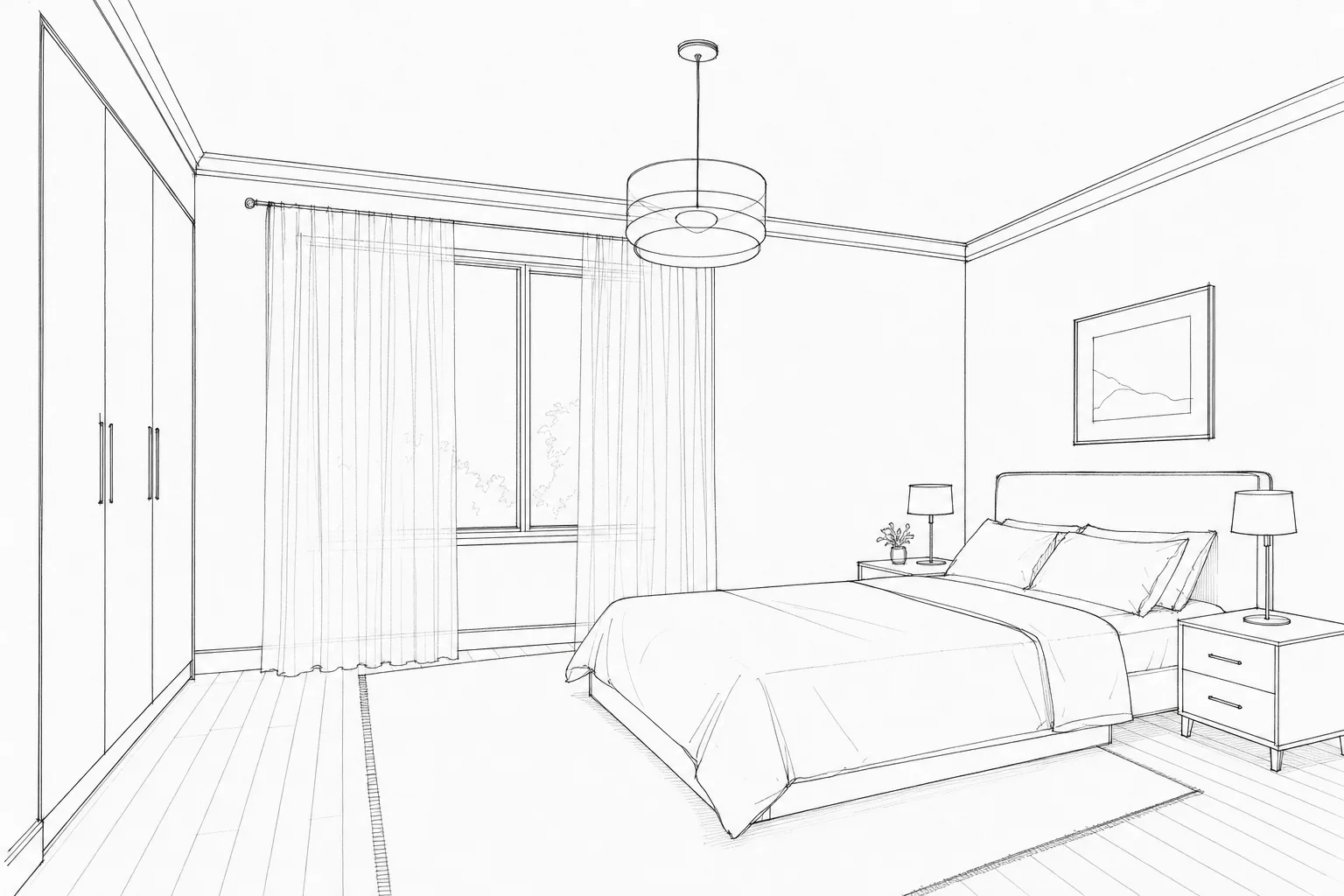
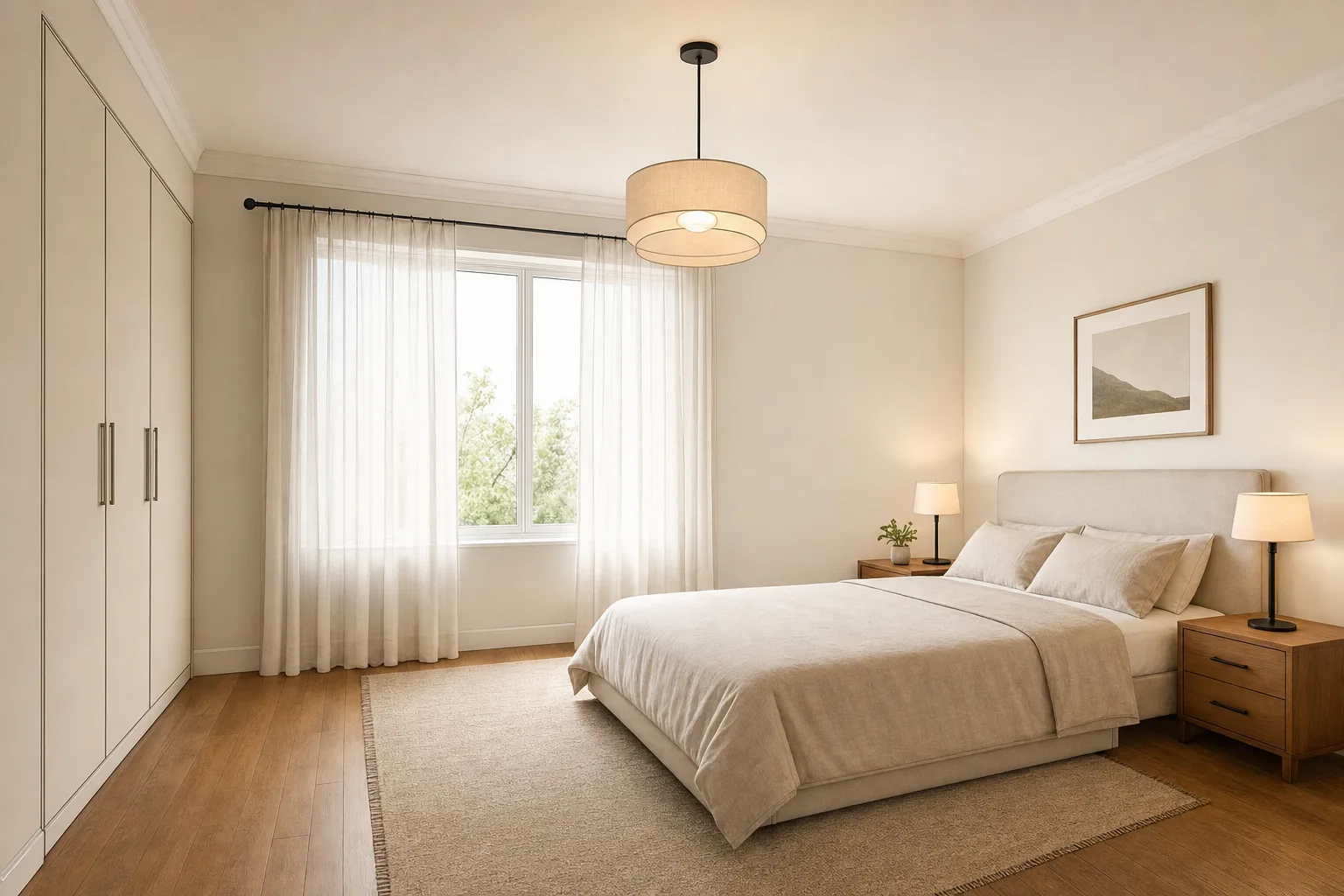
Architect-style bedroom line drawing, rendered with linen, wood and morning light.

From drawing to render in three steps

01

Upload your sketch

A phone photo or scan of the drawing is enough: pencil, ink, marker, or a whiteboard shot from a client meeting.

02

Pick a direction

One of six interior styles, your own reusable custom style, or a freestyle prompt describing exactly the materials and mood you want.

03

Get the render in minutes

A photorealistic image that follows your drawing's camera and layout. Re-render in another style whenever you like; the sketch is always kept.

Who renders sketches with Twelve Lumens

Interior designers

Present concepts as photorealistic images the same day they were drawn, and show the same sketch in two or three styles before the client commits.

Architects and draftsmen

Give early massing and interior studies a client-ready face without booking rendering capacity or building a 3D model for one view.

Agents and developers

Turn a renovation idea or an off-plan floor sketch into an image buyers can feel, clearly presented as an impression next to the real photos.

A render is an impression, and should say so

A render from a sketch shows what a room could become, not what stands built today. When renders appear in property marketing, present them as impressions alongside real photos: Twelve Lumens can place a visible disclosure bar in the image, in five languages, and stamps AI metadata into every export, the same disclosure system our virtual staging uses.

Sketch to render: common questions

How do I turn a sketch into a photorealistic render?

Photograph or scan the drawing, upload it to Twelve Lumens like any photo, choose an interior style or write a freestyle prompt, and generate. The render follows the sketch's perspective and layout and comes back in minutes. The first five images are free, with no credit card.

Does the render follow my drawing exactly?

It follows what the drawing decides: camera, walls, openings and the main furniture placement. A sketch is inherently looser than a photo, so fine details the drawing leaves open (a handle, a fabric, a plant) are filled in by the style you chose. The clearer the linework, the more faithful the render.

What kinds of sketches work: pencil, ink, marker, whiteboard?

All of them, as long as the perspective is readable. Clean fineliner and pencil drawings convert most faithfully; marker studies bring useful tone; even a whiteboard photo from a client meeting can produce a presentable render. Paper texture, smudges and notes are ignored.

Can I render the same sketch in several styles?

Yes, and it is the best trick in the workflow: render one drawing in Scandinavian, Japandi and Luxury, and let the client compare feelings instead of imagining them. Each variation takes minutes, and every version is kept next to your original sketch.

Is this the same as your virtual staging?

Same engine, different input. Virtual staging starts from photos of real rooms and keeps the architecture locked; sketch rendering starts from your drawing and builds the photorealism the drawing implies. Both live in the same workspace, count against the same image allowance, and share the disclosure system.
Your sketch, photorealistic, in minutes

Upload a drawing and see it as a real room today. The first five images are free, no credit card, and your originals are always kept.