AI rendering

3D render to photorealistic

Upload a SketchUp screenshot, a clay render or an old CGI image, and get back a photorealistic version of the same view in minutes: identical geometry and camera, real materials, daylight and shadows. Drag the slider to see a real example.

First 5 images free — no credit cardRestyled in minutes, not weeksOriginals always kept

What 3D-to-photorealistic AI actually does

Most 3D work never gets the render it deserves. The model is finished, the layout is right, but between a flat-shaded viewport and a photorealistic image sits a render engine, material libraries, lighting setup and hours of render time. AI closes that distance from the image side: it takes the view you already have, a viewport screenshot, a white clay render, even a dated CGI from years ago, and regenerates it as a photorealistic image with the same geometry and camera.

With Twelve Lumens there is nothing to install and no scene to configure: upload the view like any photo, pick one of six interior styles, a reusable custom style or a freestyle prompt, and the photorealistic version is back in minutes. Every example on this page was produced exactly that way from the input shown on the left of its slider. The first five images are free, no credit card.

From SketchUp to photorealistic render, without the render farm

The classic case: the SketchUp model is done, the client meeting is tomorrow, and the viewport export looks like a diagram. Screenshot the view you want, upload it, and the AI keeps the walls, openings and furniture blocks exactly where your model puts them while replacing flat shading with real materials and physically plausible light. No V-Ray or Enscape license, no material mapping, no overnight render queue: the photorealistic version of your SketchUp view is a few minutes away.

Clay render to photorealistic: give white models their materials

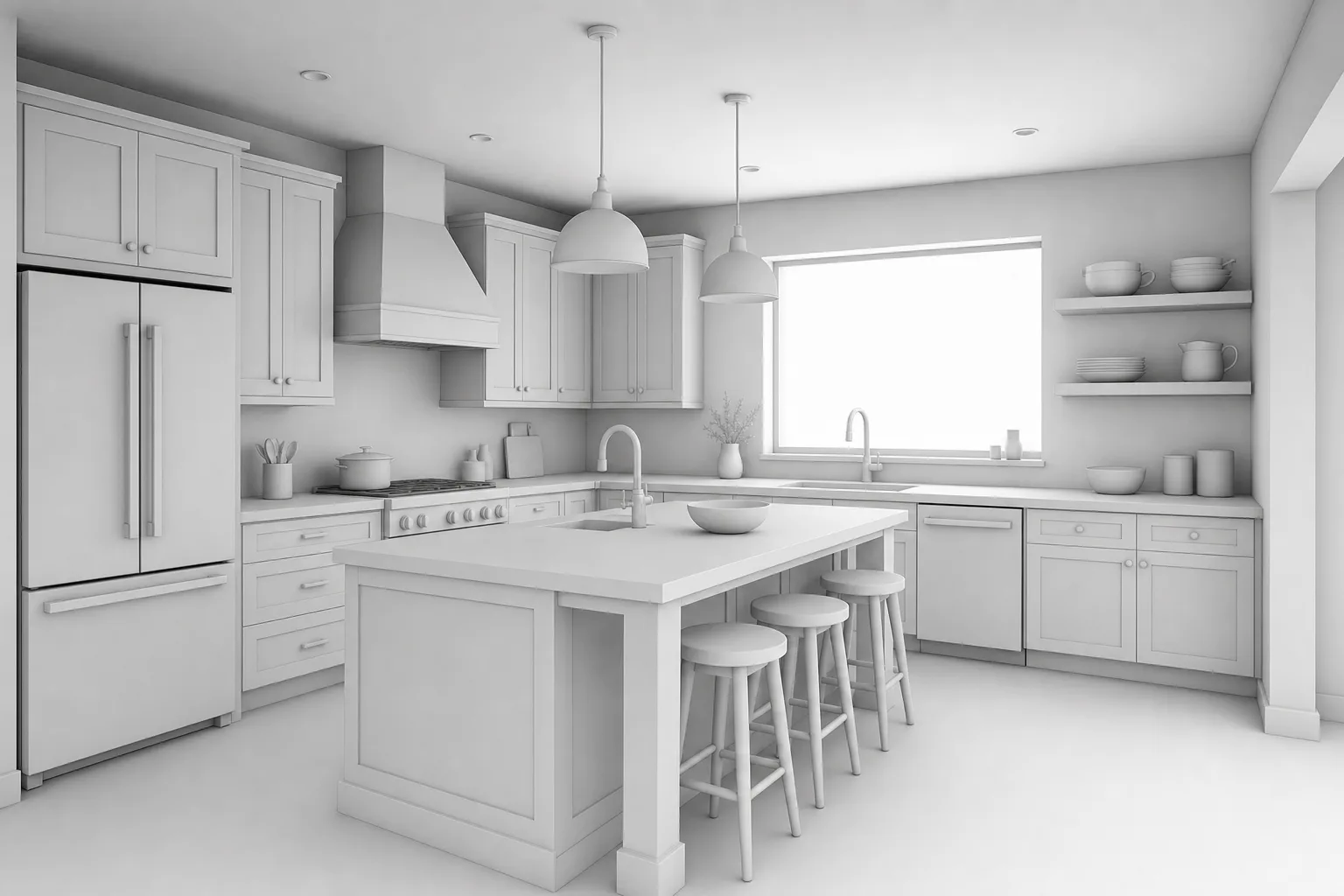
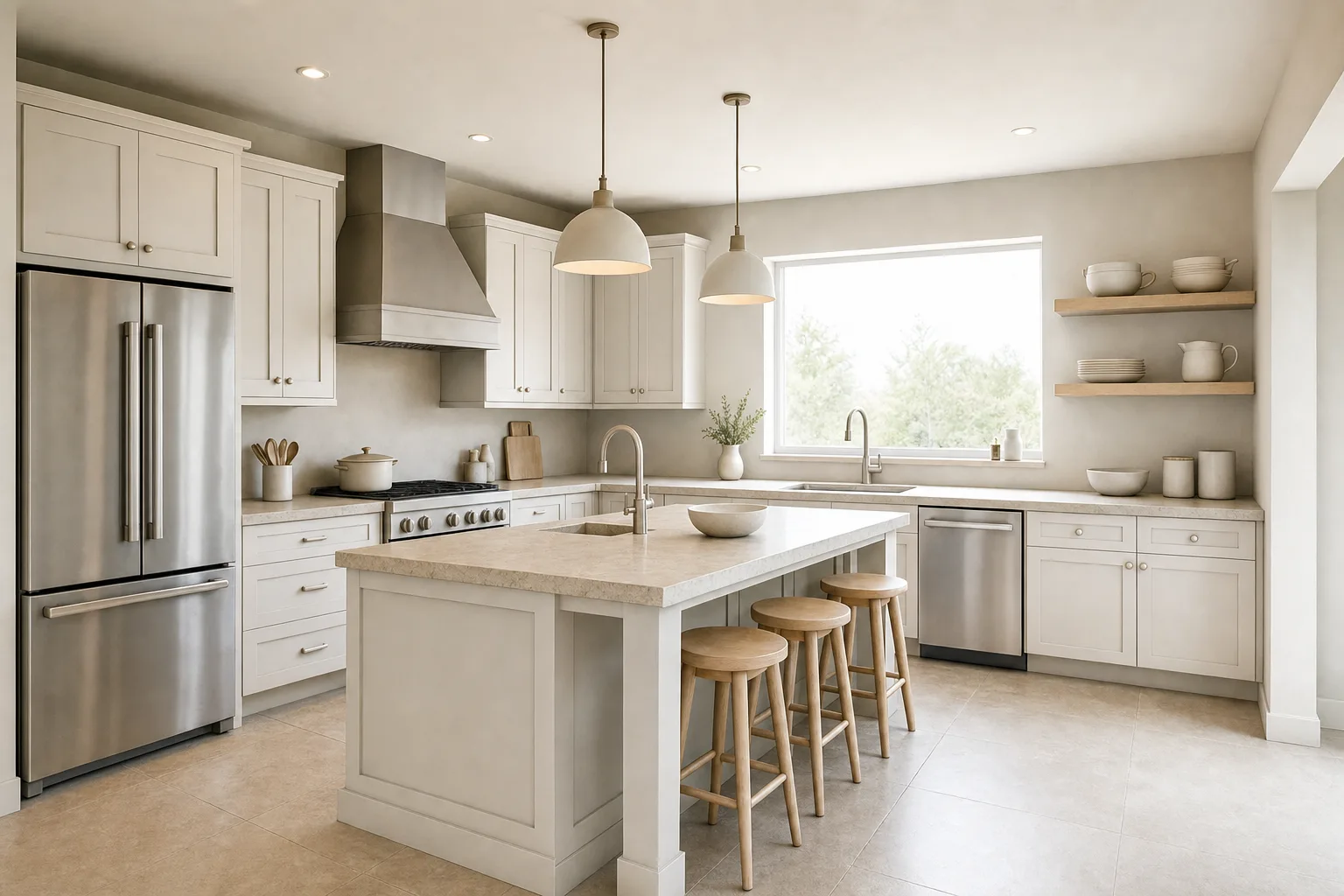
A monochrome clay render already carries perfect geometry and composition; it just says nothing about materials. AI rendering treats the clay as a finished layout and dresses it: wood takes on grain, stone gets weight, glass starts reflecting, and the soft ambient occlusion becomes believable daylight. For architecture studies this is the fastest route from massing model to an image a non-architect responds to.

Make an old or low-quality 3D render look realistic

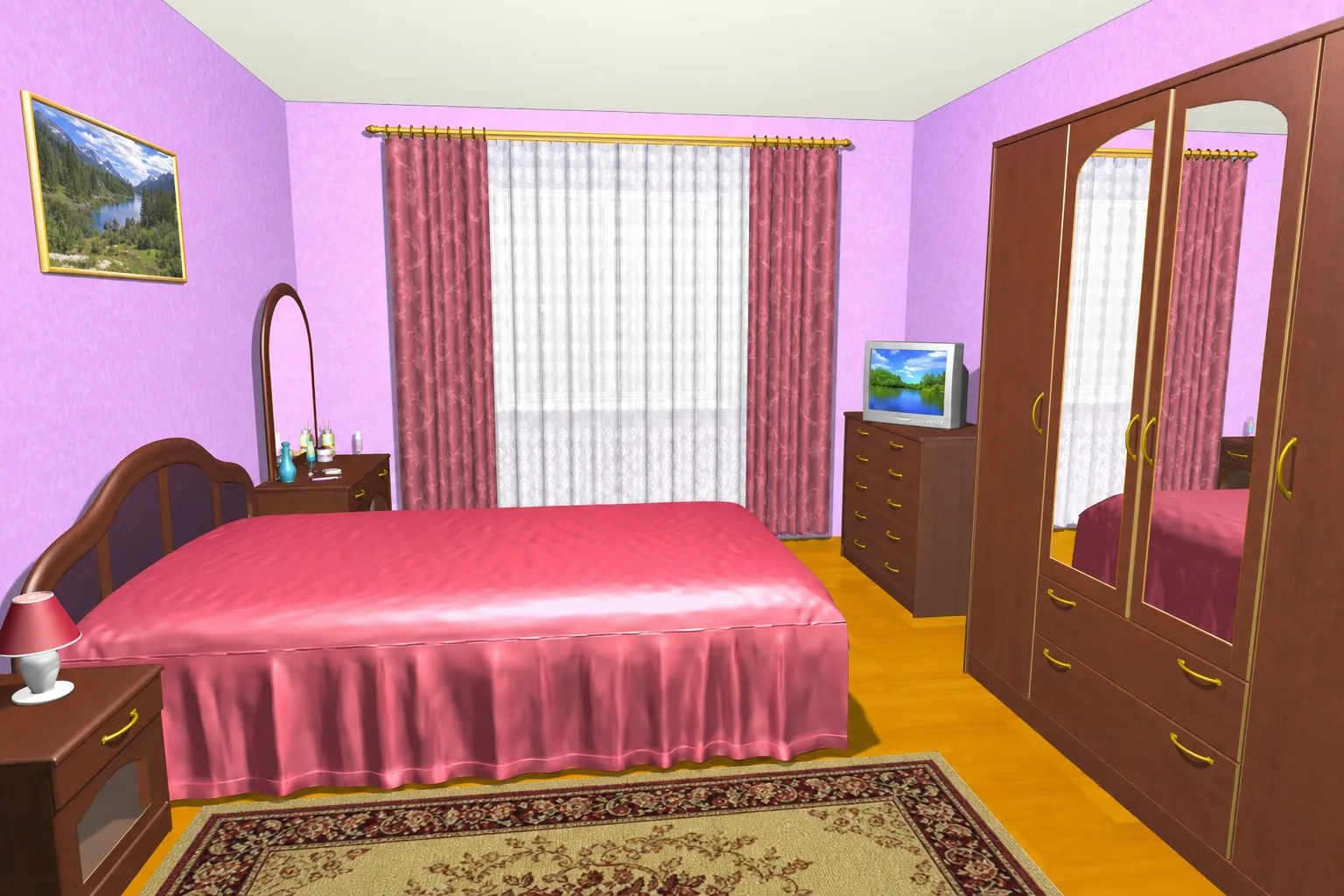
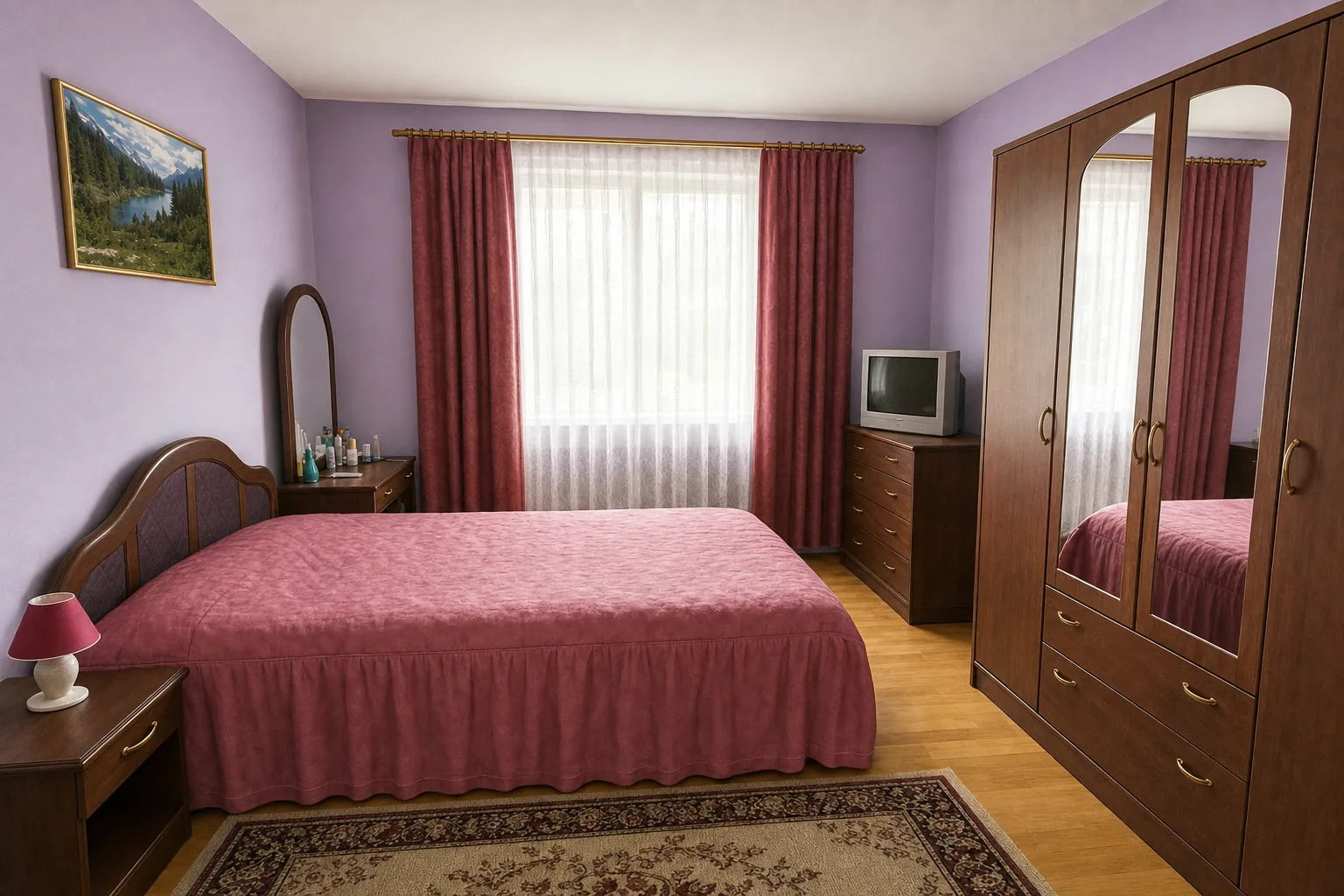
Every archive has them: renders from 2012 with plastic materials, oversaturated color and shadowless lighting. Instead of rebuilding the scene in a modern engine, upload the old image and let the AI re-render it photorealistically, same room, same camera, contemporary realism. Developers refresh brochure imagery this way, and agents modernize CGI from a project's earlier marketing without ever locating the original model files.

Works with exports from Revit, Blender, 3ds Max, ArchiCAD and more

The AI reads the image, not the file format, so anything that produces a viewport export or draft render works: Revit and ArchiCAD views, Blender workbench renders, 3ds Max drafts, Rhino captures, even floor-planner tools with a 3D view. If the geometry and camera are decided in your export, the photorealistic version will follow them, and a revision is a new upload rather than a new scene setup.
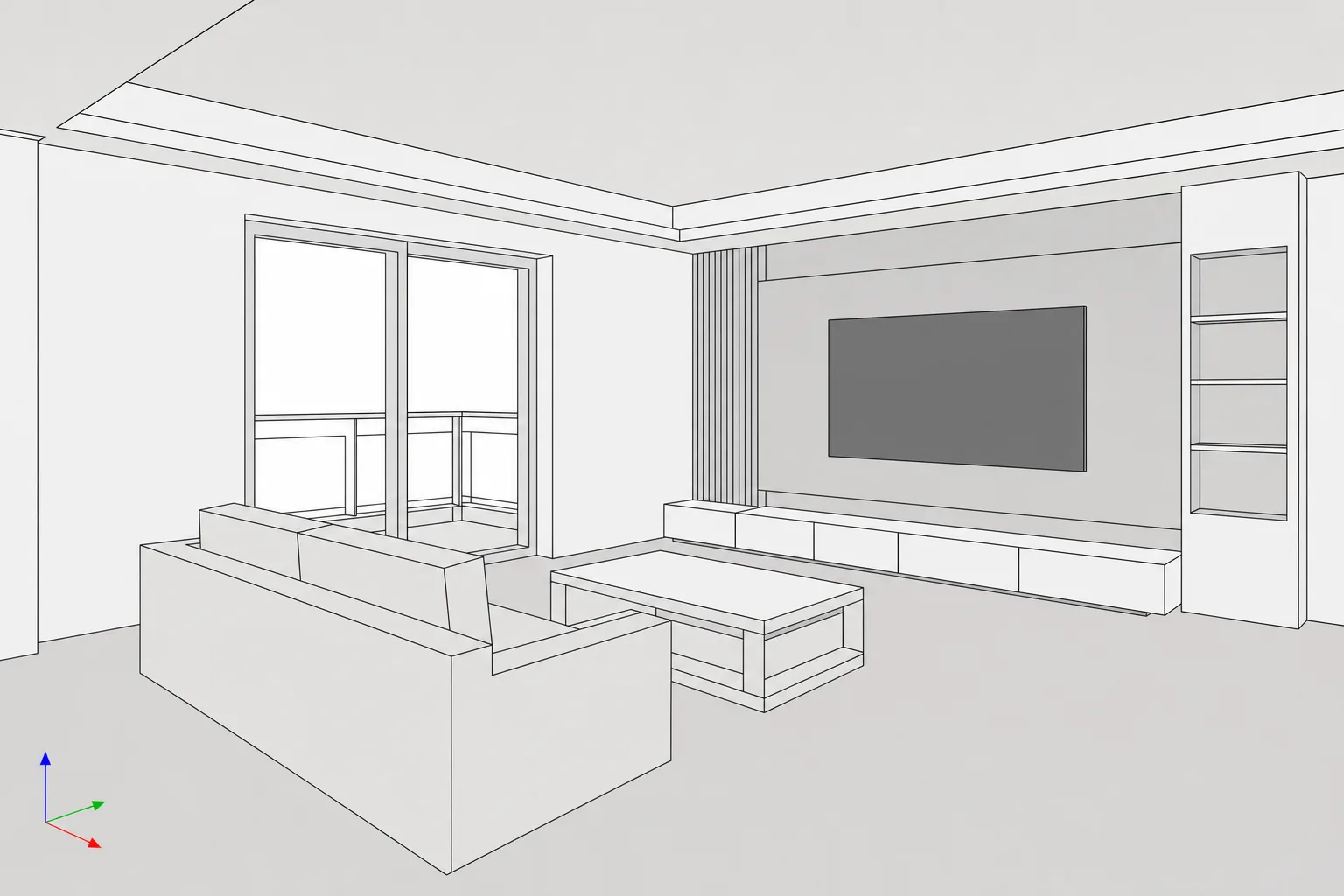
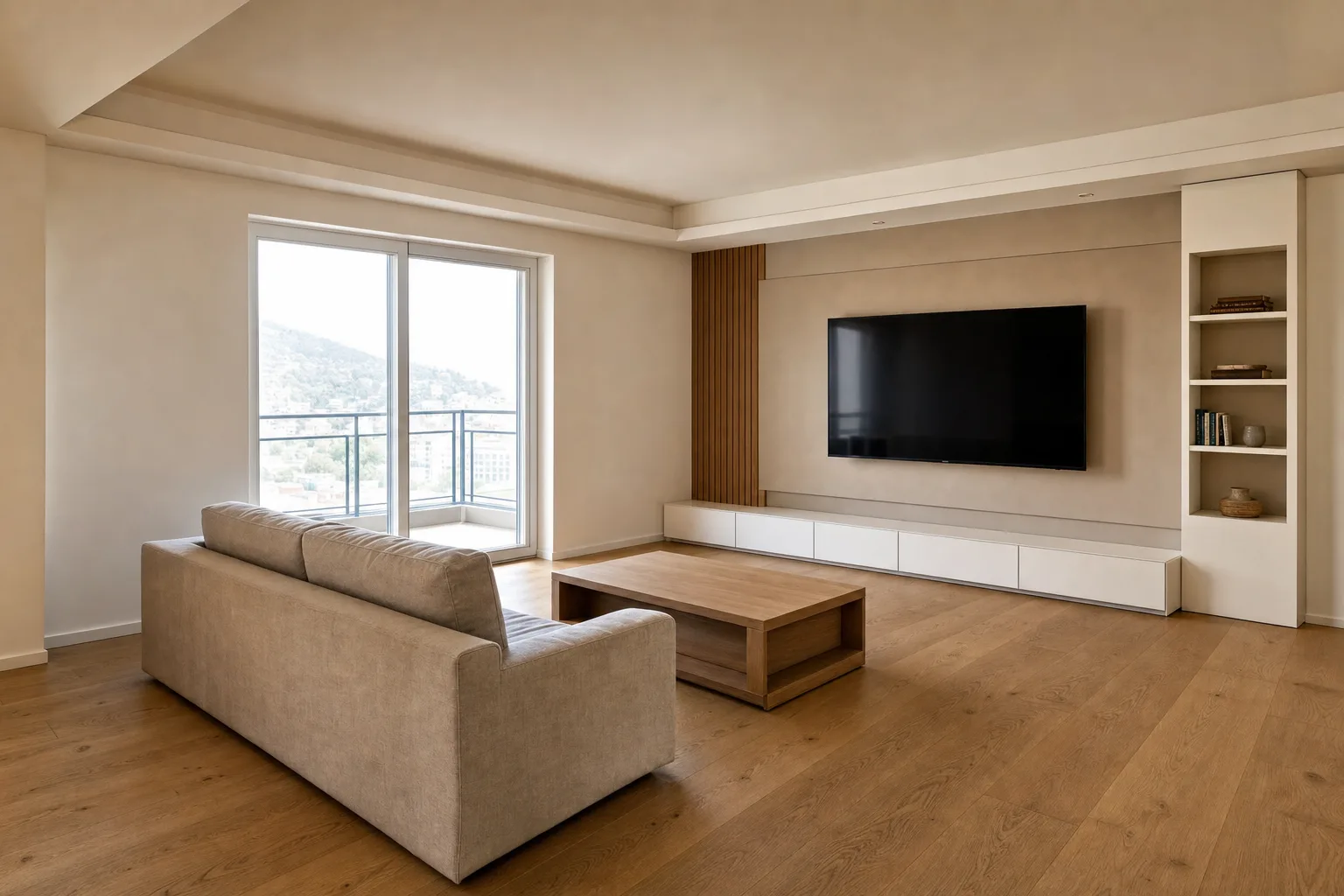
Real examples: the 3D input and the photorealistic result

Each slider shows the actual input on the left, a viewport screenshot, a clay render and a dated CGI, and the AI's photorealistic version on the right, with geometry and camera preserved. All generated with Twelve Lumens.

SketchUp-style viewport with flat shading and edge lines, re-rendered with oak, plaster and daylight.
Monochrome clay render of a kitchen, dressed in wood, stone and brass with window light.
Dated CGI bedroom from the plastic era, re-rendered with natural fabrics and believable light.

From model to photorealistic image in three steps

01

Export the view

A viewport screenshot or draft render is enough: SketchUp, Revit, Blender, ArchiCAD, or the clay render you already have.

02

Pick a direction

One of six interior styles, your reusable custom style, or a freestyle prompt naming the exact materials and mood.

03

Get the render in minutes

A photorealistic image with your model's geometry and camera intact. Iterate in other styles whenever you like; every version is kept.

Who upgrades their renders with Twelve Lumens

Architects and archviz

Turn massing studies and clay renders into presentation images the same day, and save the render-engine hours for the final views that need them.

Developers and project marketers

Refresh dated project CGI and give every unit type a photorealistic image, consistent with one project style, without reopening old scene files.

Interior designers

Take the rough 3D layout from a space-planning tool and hand the client something that looks photographed, in the style you actually propose.

A render is an impression, and should say so

A photorealistic render of a model shows intent, not built reality. When these images appear in property marketing, present them as impressions alongside real photographs: Twelve Lumens can place a visible disclosure bar in the image, in five languages, and stamps AI metadata into every export, the same disclosure system our virtual staging uses.

3D render to photorealistic: common questions

How do I make a 3D render look photorealistic?

Upload the view to Twelve Lumens like any photo: a viewport screenshot, clay render or old CGI all work. Choose a style or write a freestyle prompt, and the AI regenerates the image photorealistically with the same geometry and camera. Renders come back in minutes, and the first five images are free.

Can I go from SketchUp to a photorealistic render directly?

Yes: screenshot the SketchUp view you want (default flat shading is fine, edge lines included) and upload it. Walls, openings and furniture stay where your model puts them; materials and light are generated. There is no plugin to install and no file conversion; the image is the interface.

Does it change my model's geometry or camera?

The render follows the geometry and camera of the view you upload. As with any AI render, very fine details can resolve slightly differently, which is why the input image and every render version are kept side by side, so you can always compare against the source.

What inputs work best: viewport, clay render or finished CGI?

All three convert well and serve different jobs. Clean viewport exports and clay renders give the AI clear geometry to dress. Dated CGI works as a modernization pass: same scene, contemporary realism. Very cluttered or extremely low-resolution inputs lose fidelity; when in doubt, export the view a size larger.

Is this the same as your virtual staging?

Same engine, different input. Virtual staging starts from photos of real rooms with the architecture locked; 3D-to-photorealistic starts from your model's view and builds the realism it implies. Both live in the same workspace, draw on the same image allowance, and share the disclosure system.

Your model, photorealistic, in minutes

Upload a viewport screenshot or draft render and see it as a real room today. The first five images are free, no credit card, and your originals are always kept.