Virtual Staging as a Photographer's Add-On: Workflow and Pricing
How real estate photographers add virtual staging to a shoot: same-day workflow, what to charge per photo, how to hand the set to the agent, the rules.
The shoot is the expensive part of a listing. You are already on site, you already own the best photos the listing will ever have, and the agent already trusts you with them. Virtual staging is the add-on that turns that position into a second line on the invoice without a second visit: the vacant rooms you shot in the morning go out staged in the afternoon, under your name. This article is the workflow we see photographers settle on, with the numbers to price it and the screens you will be clicking.
If the technology is new to you, how AI virtual staging works is the five-minute primer. The photography guide covers how to shoot rooms that stage well.
Why photographers, not agents, should own this step
Three reasons the add-on sits naturally with you:
- You have the originals. Staging works on the full-resolution, straightened, colour-corrected frame. Agents stage whatever JPEG they can find; you stage the file you just delivered.
- You already decide the order of the set. Staged versions belong next to their originals, in the sequence buyers will scroll. That is your deliverable anyway.
- The agent wants one invoice. A photographer who delivers "shot, edited, staged, portal-ready" is easier to book than two suppliers and a Photoshop queue.
The economics: outsourced human staging costs €15 to €40 per image and comes back in a day or two, so most photographers never offered it. With AI staging the cost per listing drops to a few euros and the turnaround to minutes, which leaves room for a margin and a same-day promise. The full price ladder is in what virtual staging costs.
The same-day workflow
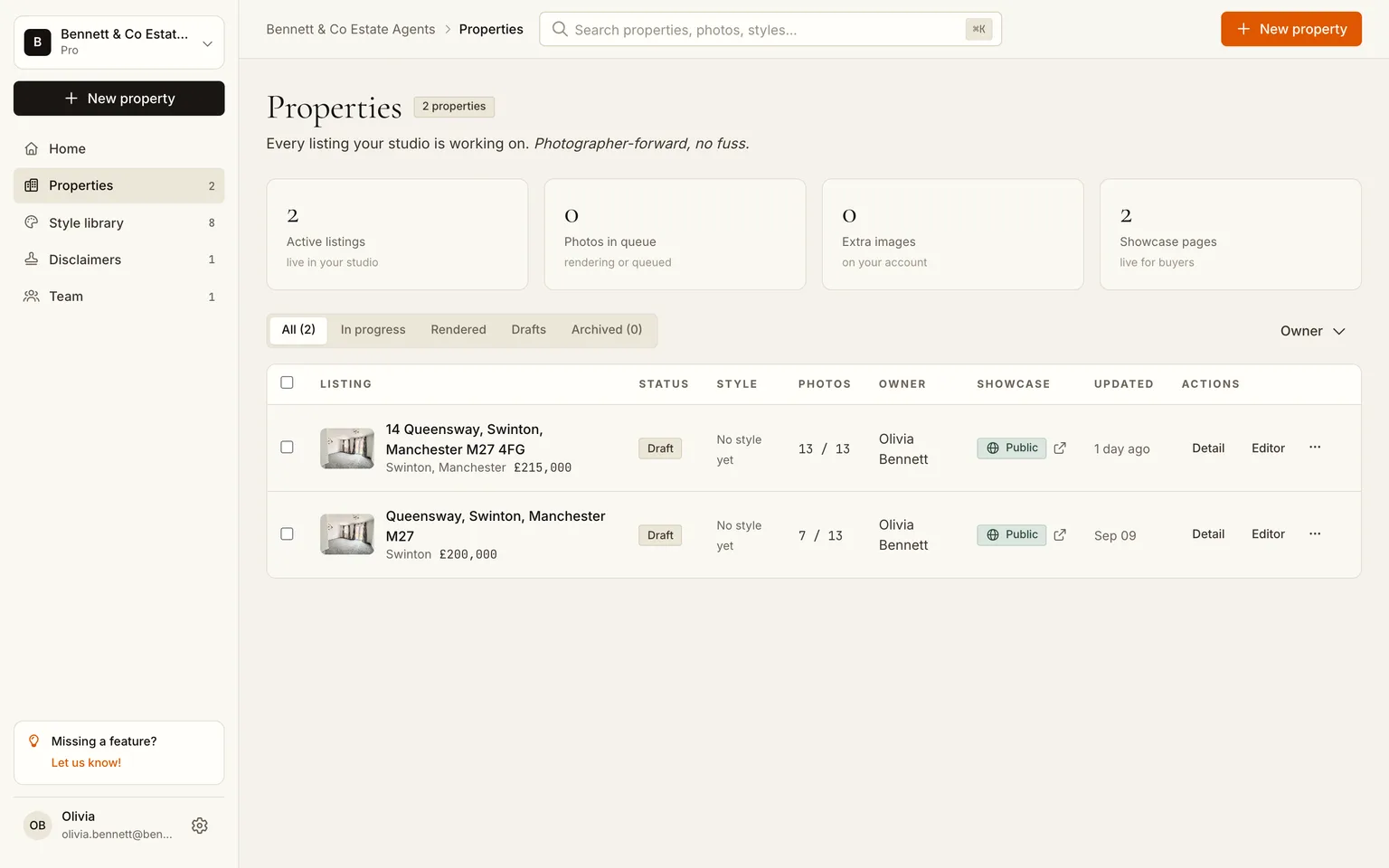
We used the Swinton listing from our agent tutorial: 13 photos, vacant, shot in the morning.
1. Edit as usual, then upload the finals
Finish your normal edit first (verticals, exposure, colour). Staging inherits every correction, so a staged version of a crooked frame is a crooked staged frame. Upload the finished set to a new property: landscape, uncropped, 3:2 or 4:3 straight out of your workflow. Thirteen photos upload in under a minute and sort themselves into rooms.
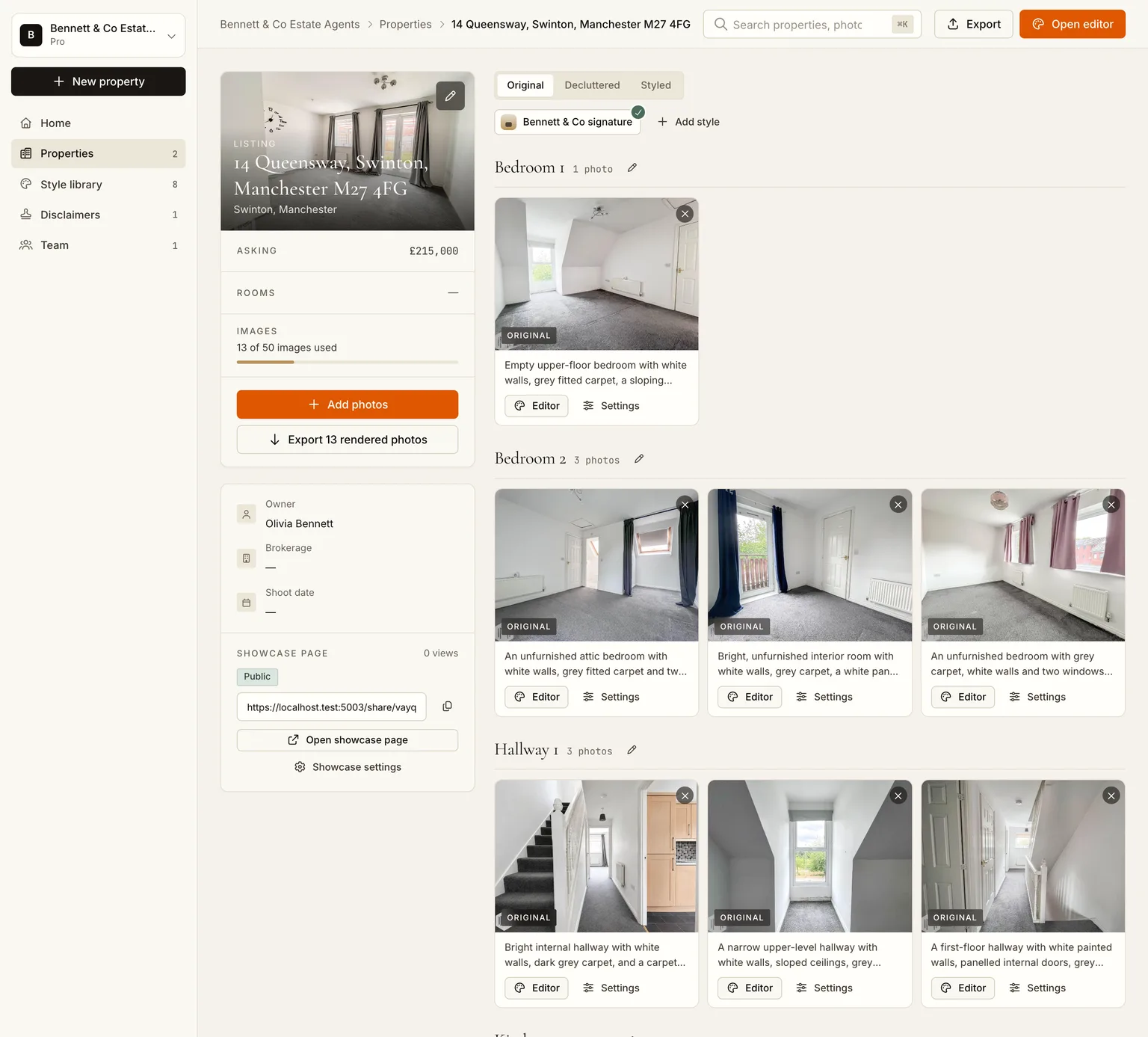
2. Stage with the agency's style, or yours
Ask the agent once which look they want, save it as a custom style and reuse it for every listing from that office. A style takes four sentences to describe and two minutes to build; the agency gets a consistent look across all their listings and you get a reason to be the photographer they keep booking.
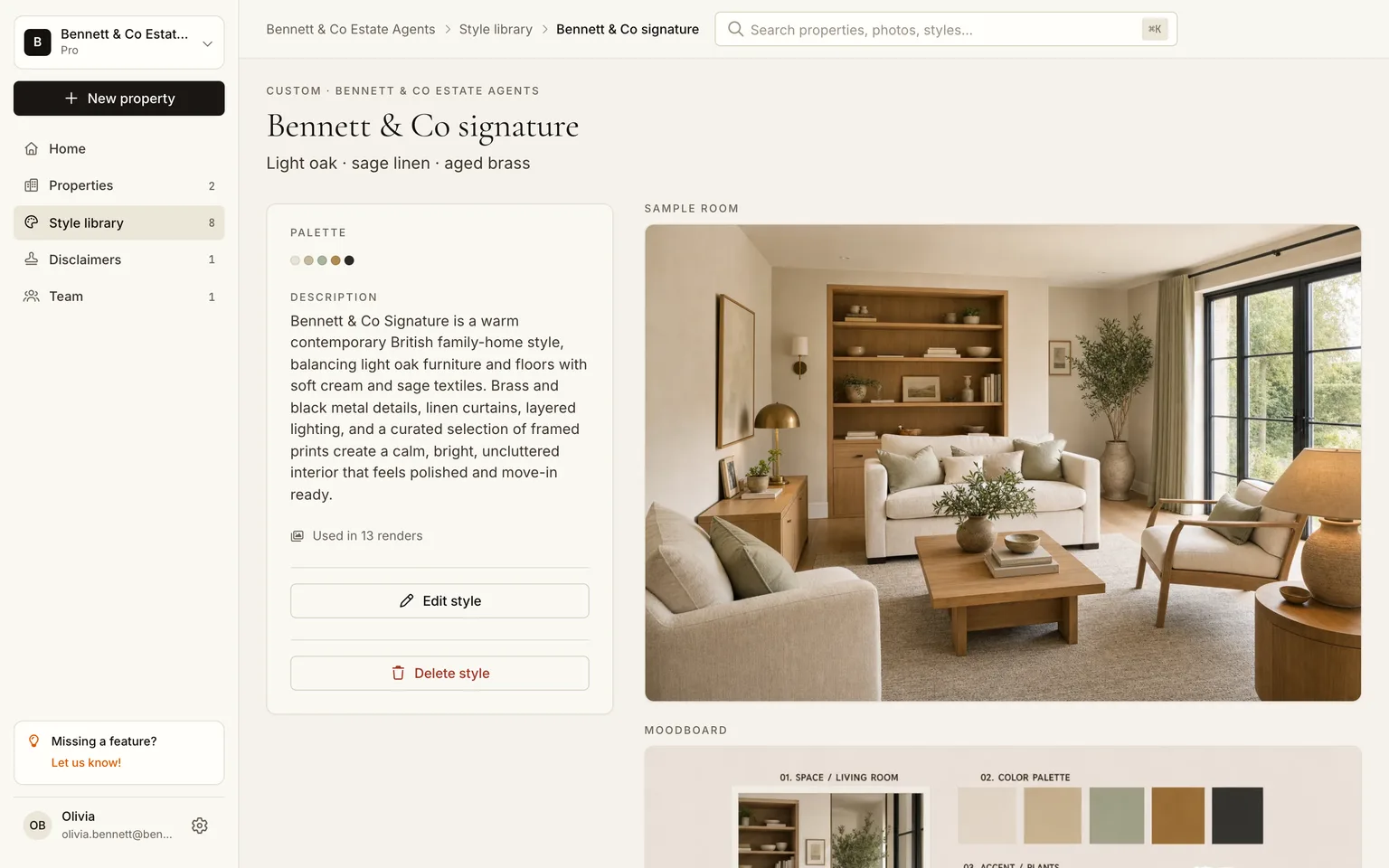
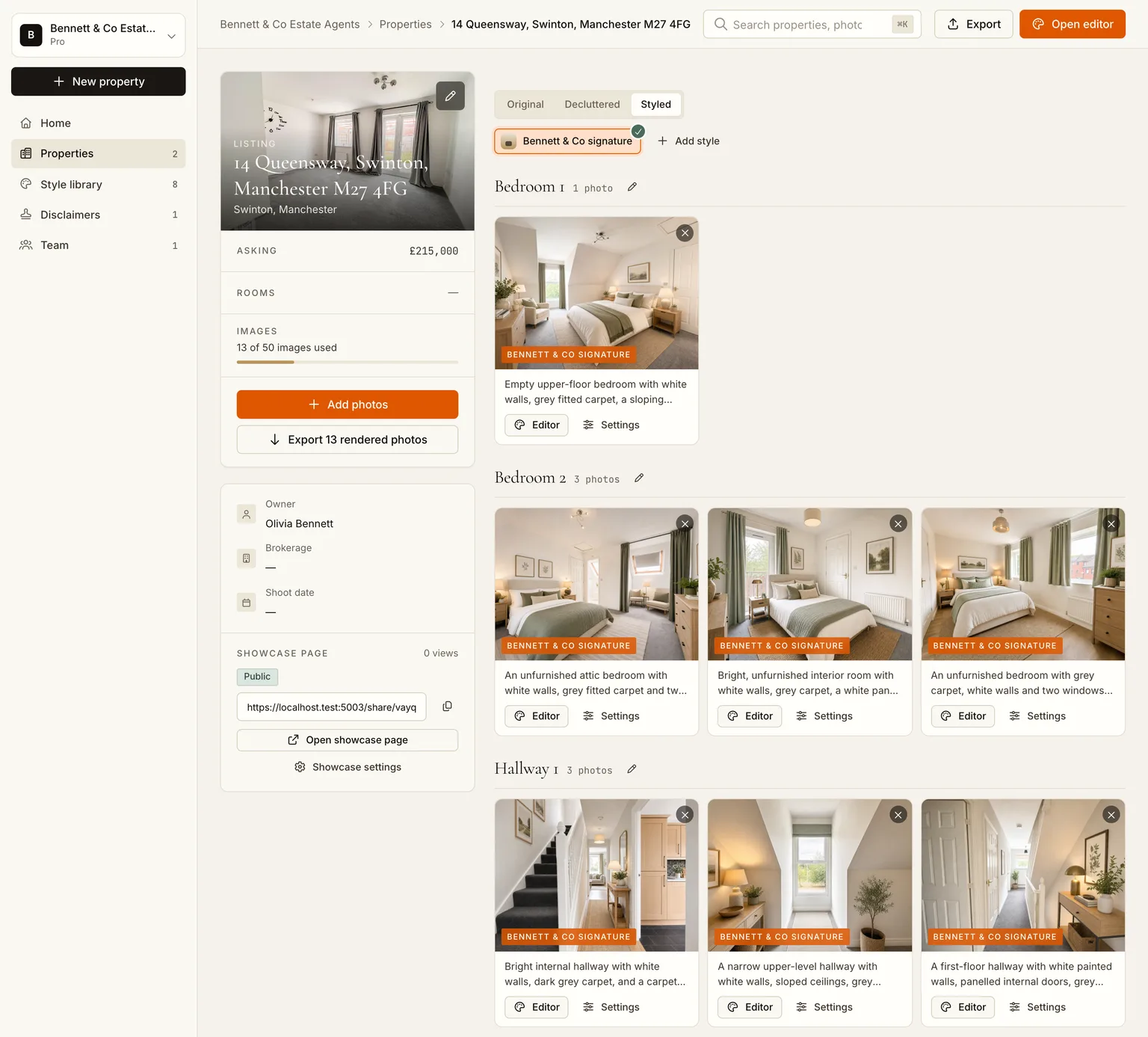
Then one click: every room in that style, in parallel. Thirteen rooms took six and a half minutes while we edited the next job.
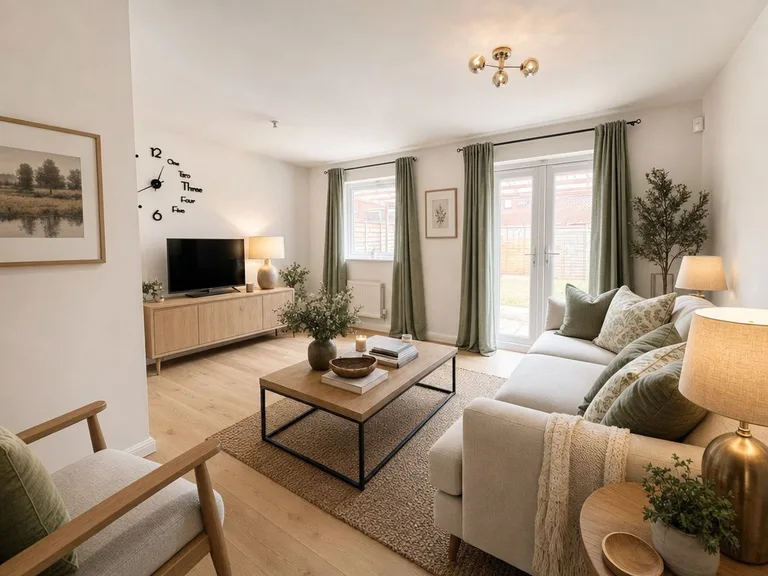 BeforeAfter
3. Check like a photographer
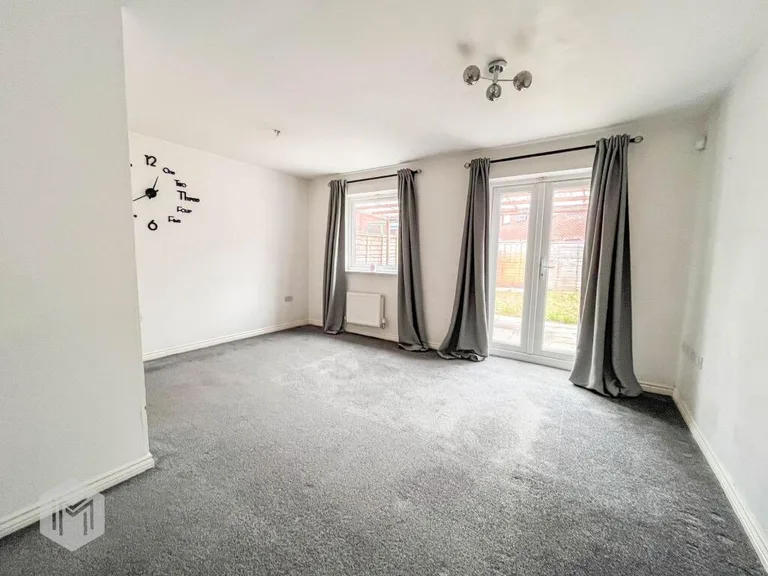
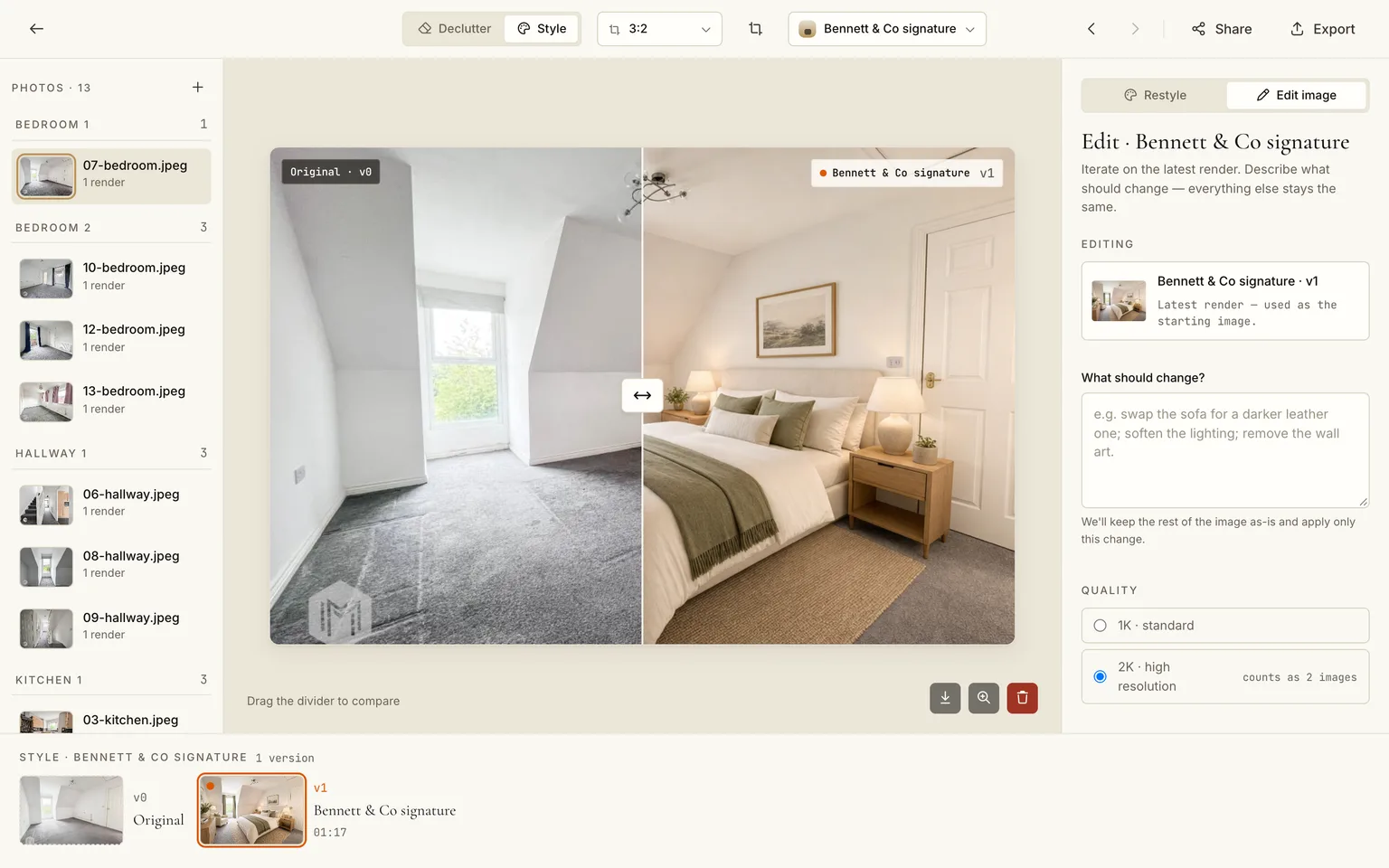
Open any card in the editor and drag the divider over the original. You are checking three things the agent will not: that the perspective lines still meet where they did, that nothing structural moved (a window, a door, a radiator), and that the light direction matches the original. Re-render the odd one with a note ("smaller sofa", "no rug") rather than accepting it.
4. Deliver one ZIP, disclosure included
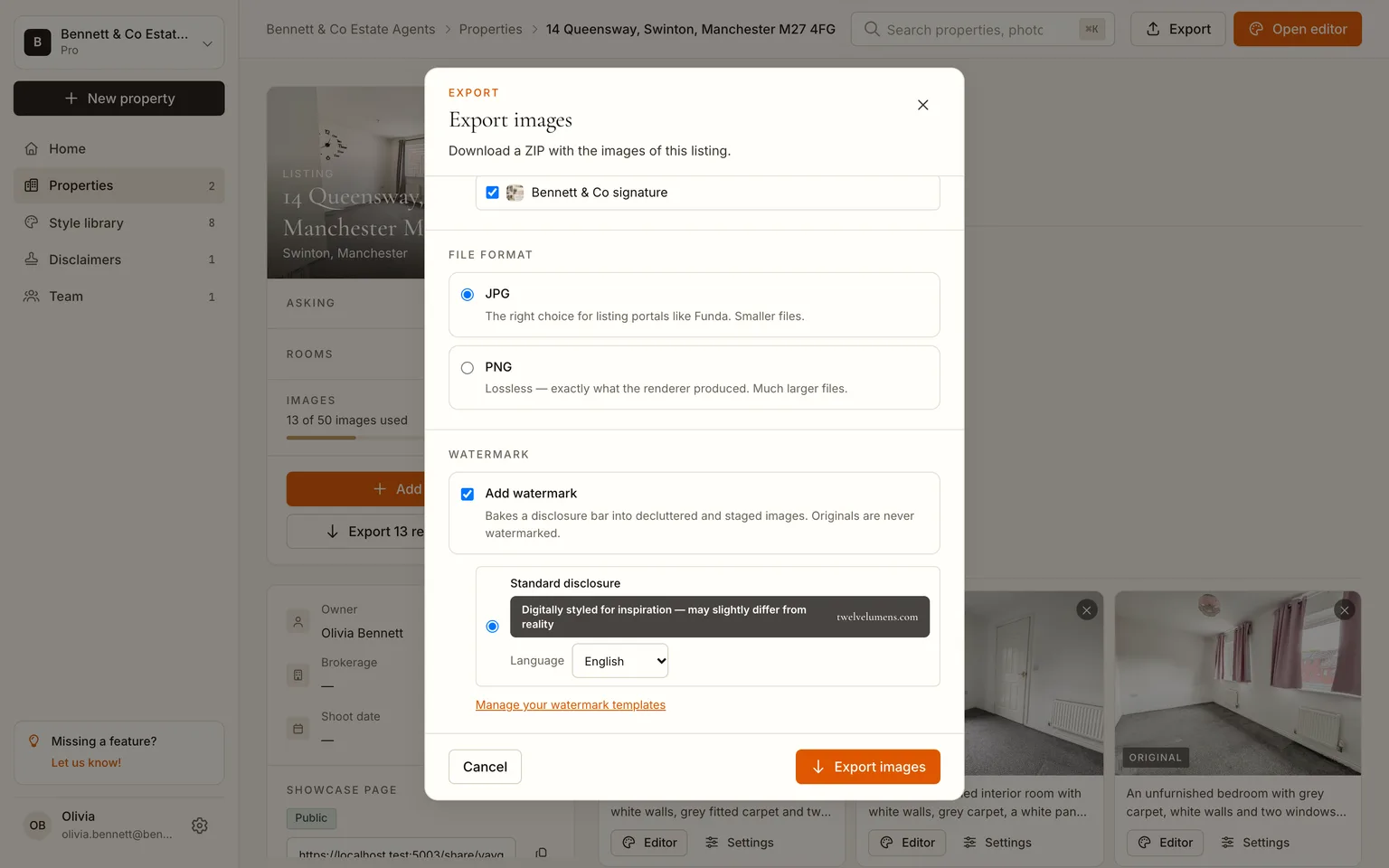
Export originals and staged together as JPG with the disclosure bar on. The bar is rendered into the staged pixels in the agent's language, with AI-disclosure metadata in the file, so the set is portal-compliant before it leaves you. Pro and Business plans let you replace the standard text with the agency's own wording and logo, which is what a white-label delivery looks like.
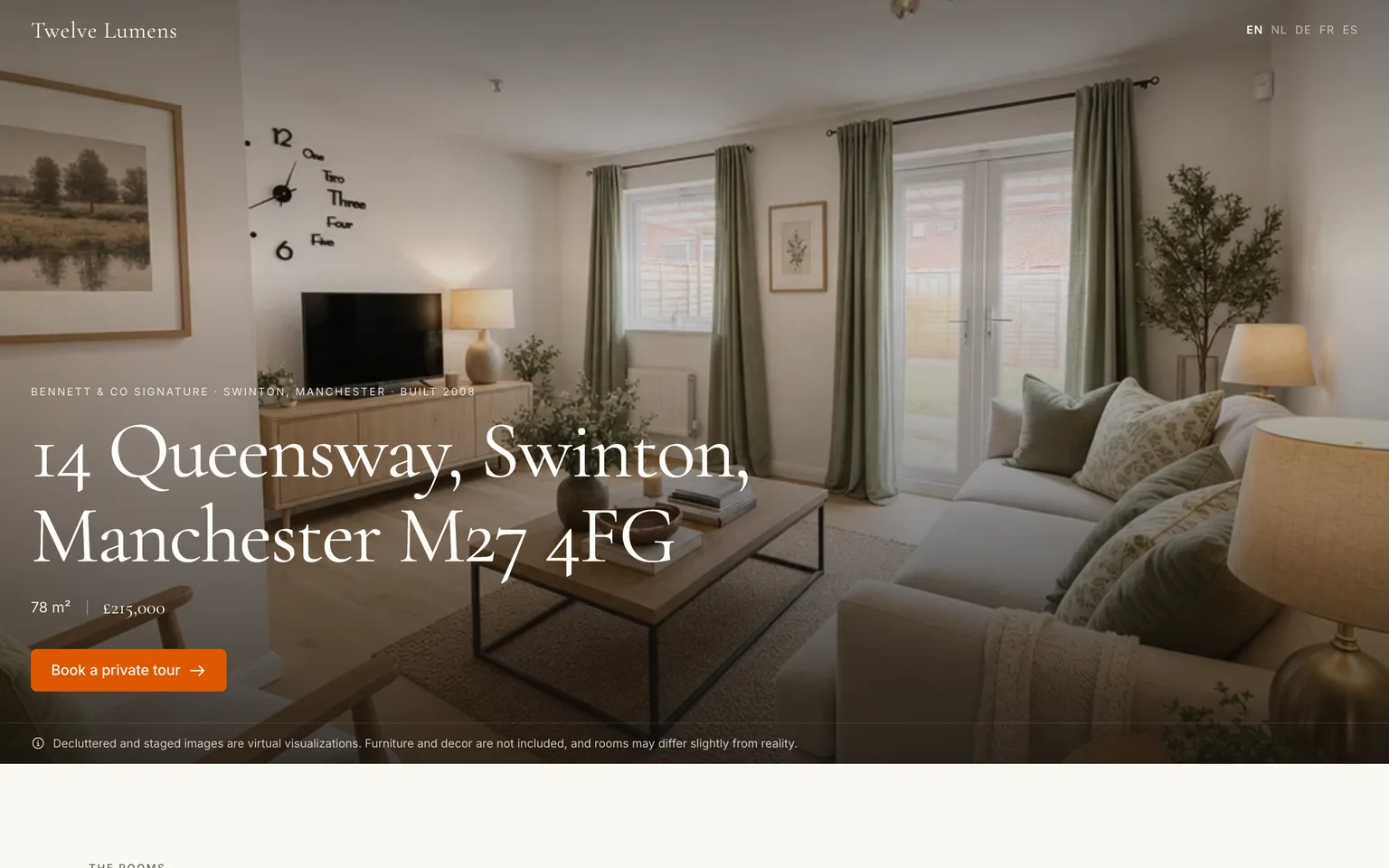
Deliver it as you deliver everything else, with the staged files named by room and style next to their originals. If the agent uses a showcase page, enable it for them: buyers flip each room between original and staged on a page with their branding.
Working with more than one agency
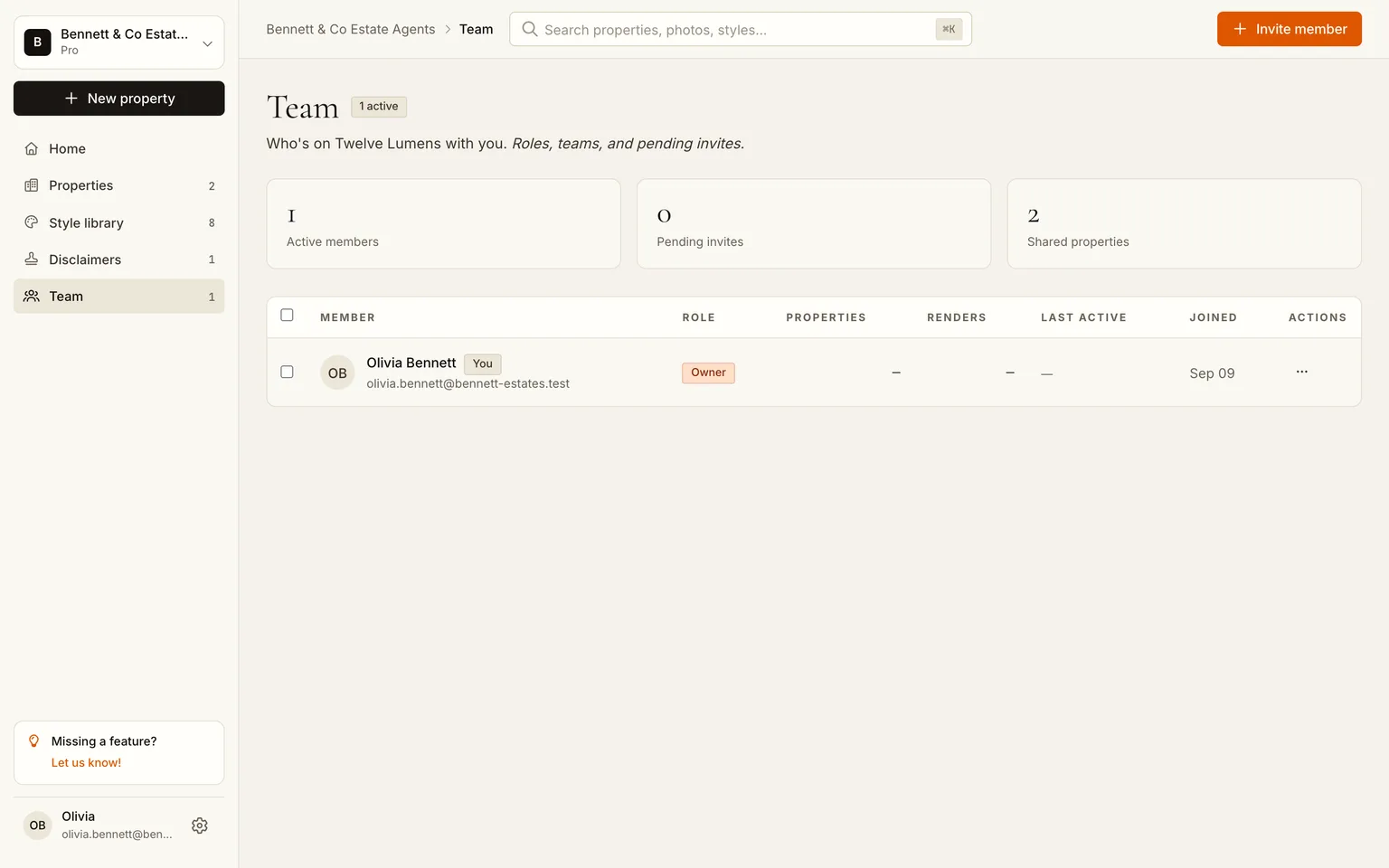
Styles and listings live in your workspace, so you can keep one saved style per agency and still see everything in one place. Invite an assistant or a second shooter from the team page; they stage with the same styles and the same disclosure defaults.
What to charge
A per-image service charges the agent €15 to €40 per staged photo. Priced against that, a photographer's add-on that costs a few euros of plan allowance per listing has room for any of these models:
| Model | Typical price | When it fits |
|---|---|---|
| Per staged photo | €10 to €25 | Agents who stage a few hero rooms per listing |
| Per listing, up to 15 rooms | €120 to €250 | Vacant listings, new-build, rentals |
| Bundled into the shoot | +€150 to €300 on the package | Agencies you shoot for every week |
Your cost side on the Pro plan: €129 a month covers 10 listings with 50 images each, so under €13 per listing however many rooms you stage within the 50. Business covers 30 listings for €329. Both plans render at 2K and allow the white-label disclosure. The pricing page has the current numbers.
Stage your next shoot, first 5 images free
The rules you are now responsible for
Staging moves the disclosure duty one step closer to you. Keep these fixed:
- Disclosure in the image, not only in the listing text. The export does this; do not strip it.
- Nothing structural changes. No added windows, moved walls, removed radiators. Check every render against the original, and re-render rather than retouch by hand.
- Originals stay in the set. Portals and MLSs expect at least one unedited photo per room; deliver all of them.
- Occupied homes are decluttered first, then staged. The decluttered version is often the one the agent uses for the hero shot. See removing furniture from listing photos with AI.
The per-portal rules are in the disclosure guide, with Rightmove and Funda specifics in the portal guides.
Frequently asked questions
Does staging work on my RAW or HDR workflow?
Upload the finished JPEG or PNG from your edit, not the RAW. Staging keeps your exposure, colour and verticals; it only changes the furniture and decor layer.
Can I deliver without the Twelve Lumens attribution?
On Pro and Business the disclosure bar carries your or the agency's wording and logo, with no Twelve Lumens attribution. The free plan keeps the standard bar.
How long does a 20-photo listing take?
Upload and analysis take a couple of minutes; renders run in parallel at one to two minutes each, so a 20-photo set is staged in roughly ten minutes. Plan allowances cap photos per property (25 on Pro, 40 on Business), not clicks.
Who owns the staged images?
You do, the same way you own the photos. Deliver them under your usual licence terms; the agent gets the files as part of your delivery.
By Martin Balk, founder of Twelve Lumens · Updated October 22, 2026
See your own listing staged
Upload a few photos and get decluttered, staged versions back in minutes. The first five images are free, no credit card, and your originals are always kept.
Stage 5 images freeMore from the blog
Remove Furniture from Listing Photos with AI (Virtual Decluttering)
Empty a lived-in room on the photo in one click: upload, declutter every photo at once, keep what should stay, then stage or publish the clean version.
How to Turn a 3D Render into a Photorealistic Image with AI (3 Steps)
Make a clay render, a SketchUp viewport or an old CGI photorealistic in minutes: upload it like a photo, pick a style, render. Same camera, same geometry.
How to Style Your Home with AI in 5 Steps (With Screenshots)
Step by step, with screenshots: photograph your rooms, upload, declutter, try two or three styles and export. About 15 minutes, first 5 images free.
How to Virtually Stage a Whole Listing in One Go (Screenshots)
A real 13-photo listing staged in one sitting: one upload, one house style, one click for every room, a portal-ready export with the disclosure built in.
How Does AI Virtual Staging Work? From Upload to Listing-Ready Photo
How AI virtual staging works, step by step: upload, declutter, pick a style, render in minutes. What changes, what it costs and where it is allowed.
Virtual Staging Pricing in 2026: What It Costs Per Photo, Per Listing and Per Month
Virtual staging costs roughly €0.40 to €40 per image in 2026. What the three pricing models add up to per listing and per month, plus the hidden fees.
Home Staging Photographer: What They Do and How to Shoot a Home So It Stages Well
What a home staging photographer actually does, how to shoot every room so it stages well, physically or virtually, and when a phone is enough.
Virtual Staging Terms, Explained: A Plain-Language Glossary
Plain-language definitions of 13 virtual staging terms: renders, 2K, house styles, decluttering, disclosure and more, each one quotable on its own.
Virtual Staging Disclosure Rules in 2026: MLS, Zillow, Funda, Rightmove and More
Where virtually staged photos are allowed, what each market expects you to disclose, and a checklist that keeps your listing within every rule.
How Much Does Home Staging Cost in 2026? Physical vs. Virtual, With Real Numbers
What physical, outsourced virtual and AI home staging cost per listing in 2026, when each one is worth it, and the math for a typical 20-photo listing.